Need help? Get the full guide at square.com/taking-payments.
TAKING PAYMENTS
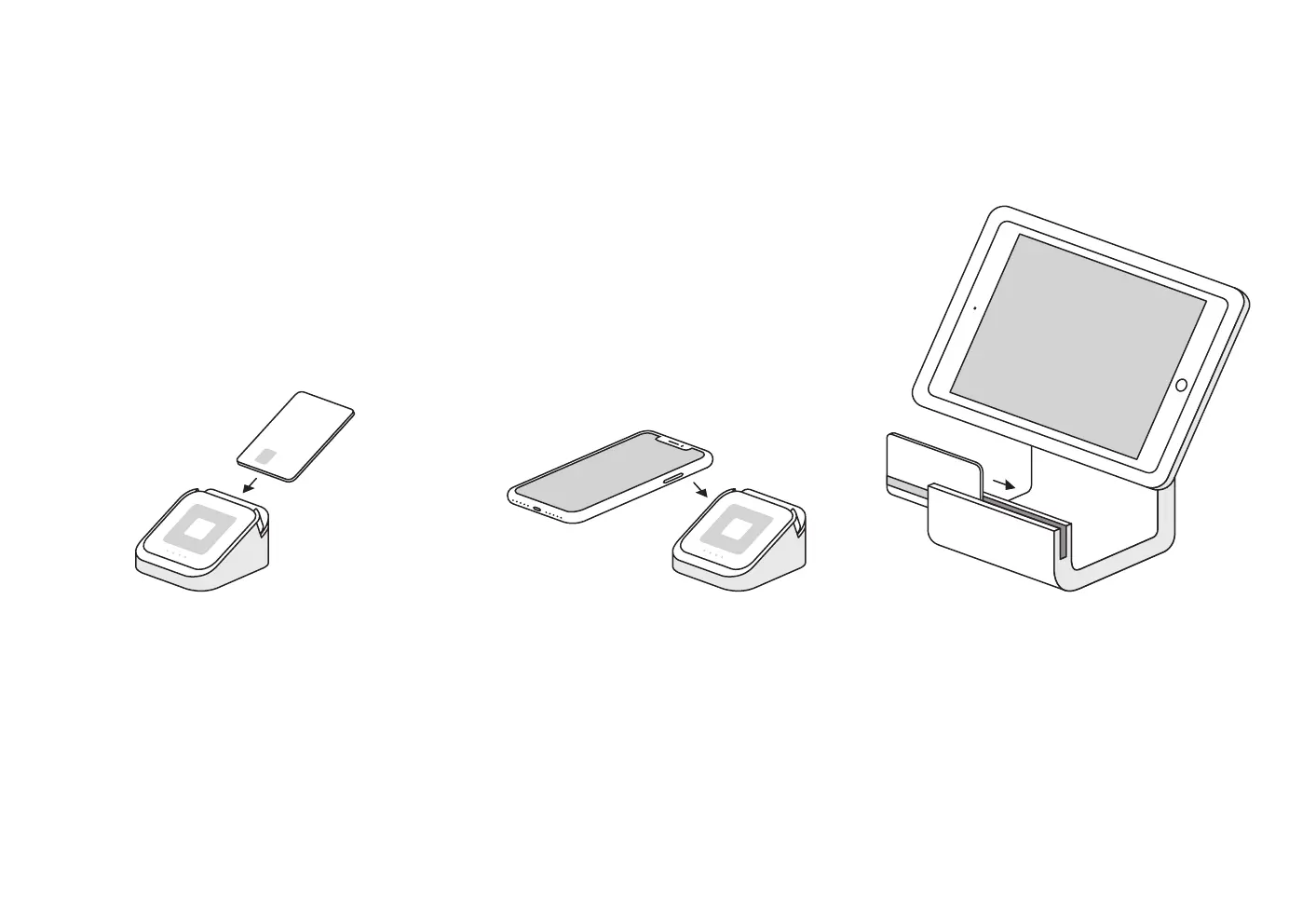
Square Stand lets you swipe cards with the built-in magstripe reader, and accept contactless and chip payments with the included Square Reader.
Dip
In the Square app, tap Charge and wait for a single green
light to appear on Square Reader. Your customer can then
inse a chip card into the reader. Leave it in place until you
see four green lights.
Tap
In the Square app, tap Charge and wait for a single green light
to appear on Square Reader. Your customer can then hold a
contactless device or card near the reader to trigger payment.
Swipe
In the Square app, tap Charge. Run your customer’s
magnetic-stripe card through the magstripe reader on
Square Stand.


 To Next Page