
 Need help?
Do you have a question about the Square Stand and is the answer not in the manual?
Connect Square Stand to the hardware hub using its two cables for power and connection.
Connect the hardware hub to the power adapter, then plug the adapter into a power outlet.
Connect the power adapter cable to a power outlet to supply power to the system.
Remove the retainer clip and slide the Square Reader into the Dock, then replace the clip.
Connect the Dock for Square Reader into the hardware hub.
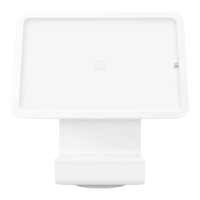
Securely insert your iPad into the stand and connect it to the Lightning connector.
Connect optional USB accessories like scanners, printers, or cash drawers to the hardware hub.
Remove the iPad from the stand by pressing the eject button located on the back.
Accept payments using magstripe cards or Bluetooth-connected Square Reader when not plugged in.
Instruct customers to insert a chip card after tapping 'Charge' and waiting for a green light.
Customers can hold contactless devices or cards near the reader after tapping 'Charge'.
Process customer payments by swiping their magnetic-stripe card through the reader.
Information on the one-year warranty coverage for Square hardware.
Details on Square's risk-free return policy for purchases made from square.com/shop.
Access regulatory and FCC information for Square Stand via the Square app.
 General
| Base | Weighted base for stability |
|---|---|
| Color | White |
| Dimensions | 5.5 inches |
| Included Accessories | Power adapter |
| Materials | Steel and plastic |

 To Next Page