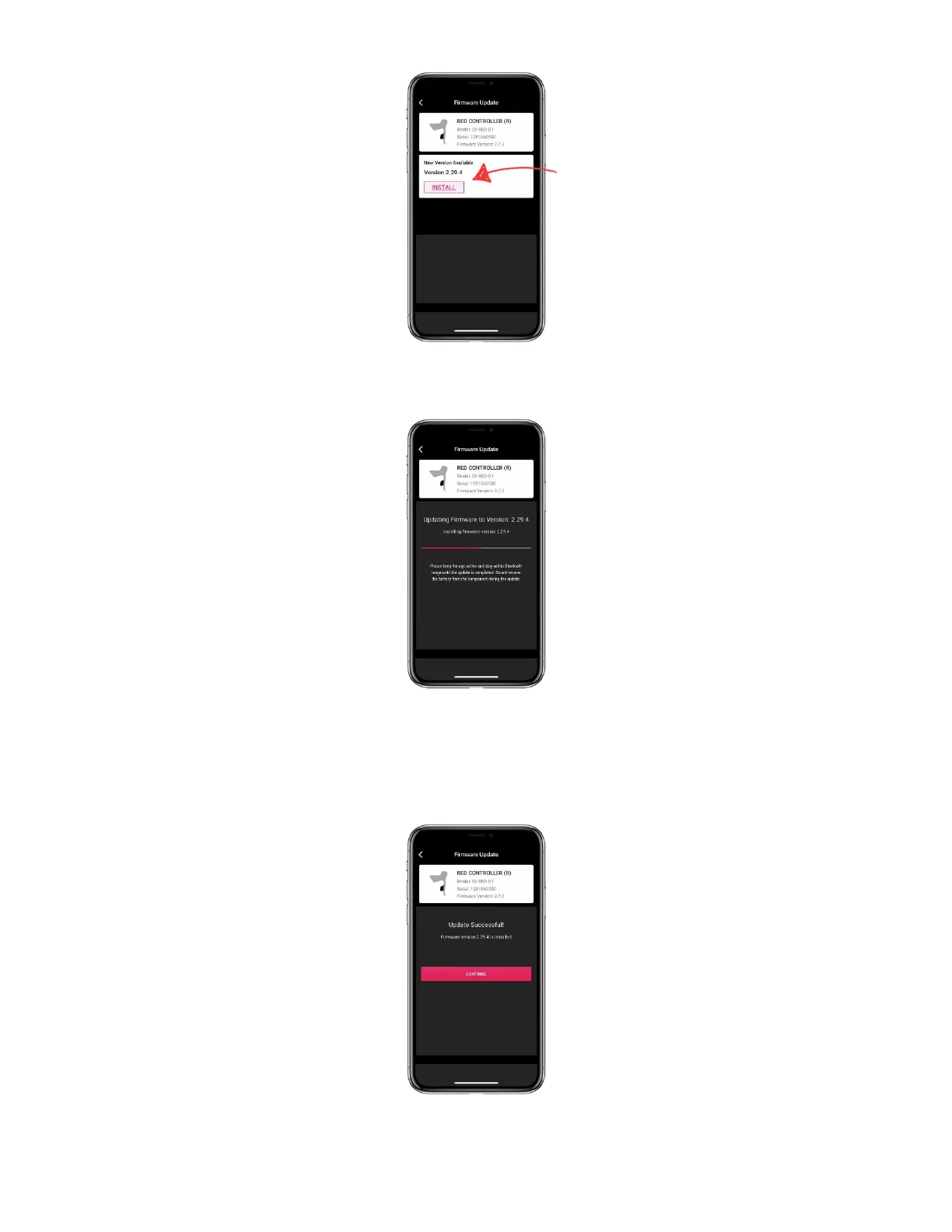
7) Press and release the component’s AXS button to begin the firmware update. The component’s orange/amber
LED will flash rapidly, and the app will display the update progress.
TECH TIP: If the update progress does advance within 30 seconds of pressing the component’s AXS
button, force quit the app and attempt the process again.
8) When the update completes, select [CONTINUE]. Repeat the firmware update process with the remaining
eTap AXS shift-brake lever. If using an eTap AXS BlipBox, continue to step 9.
9) Complete the SRAM eTap pairing process to pair your RED or Force eTap AXS shift-brake levers or eTap
AXS BlipBox to your RED eTap 11-speed derailleurs.



 To Next Page