Page 7
BREW DAY OPERATIONS (CONTINUED)
Once the side mounted “ON/OFF” switch is turned to the “ON” position, both controller adjustments and
heater activation can begin.
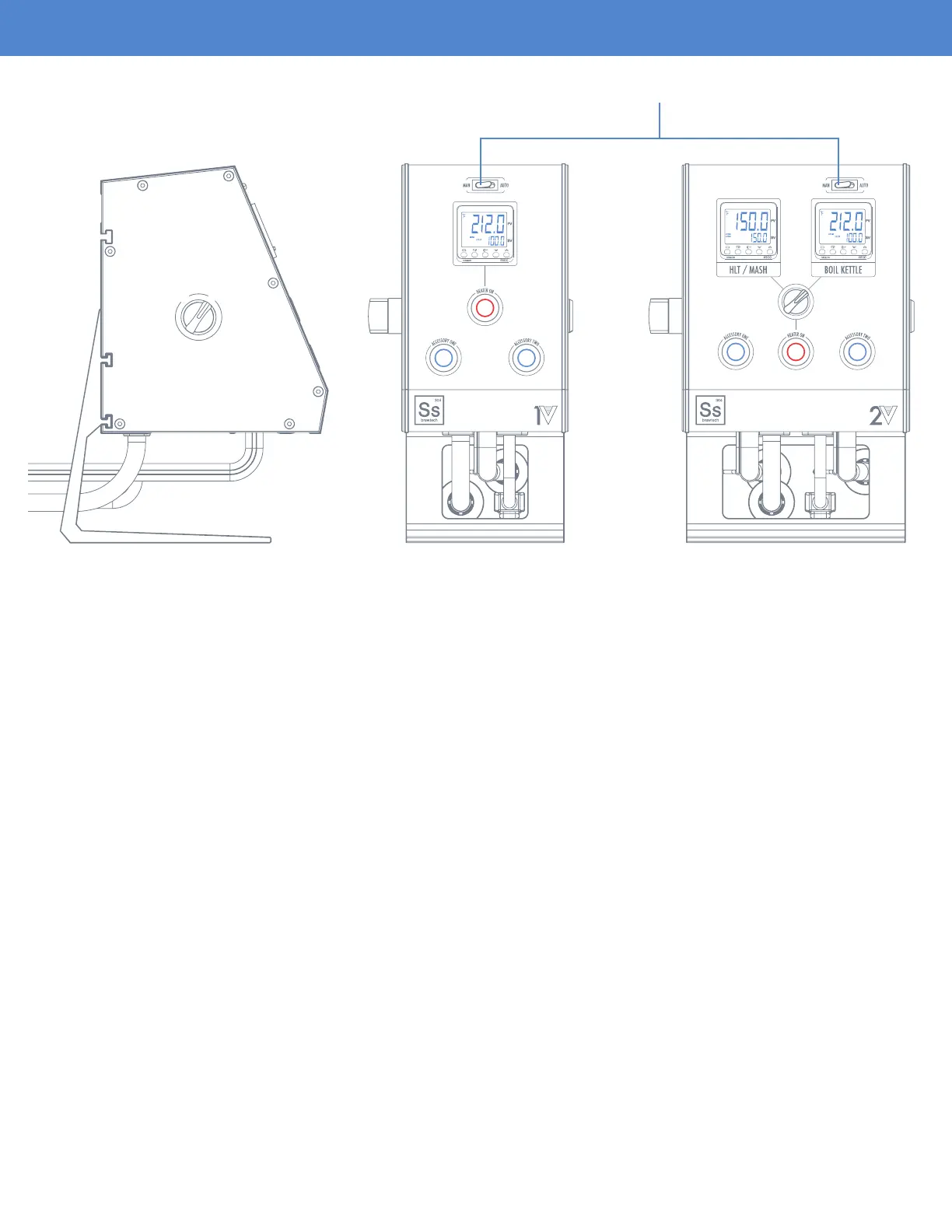
At the top of the controller near the PID read out, there is a rocker switch for going in between “MAN”
(Manual) or “AUTO” mode changes.
O
F
F
O
N
O
F
F
O
N
MANUAL MODE
The eKettle elements have been designed to support voltage modulation to ne tune the element wattage
output. The benet of this design is that it allows the user to dial in a perfect rolling boil by reducing
element output instead of a more traditional on/off modulation. When the eController is in “MAN” mode,
the set value on the temperature controller is indicative of the percentage of total wattage output for
the element. For example, if the set value is at 100, that is 100% of element output, and if the set value
is at 50, that means the power level is reduced to 50% of element output. Adjustment can be made
from 0-100%.
Once you have the percentage dialed in, you can now activate the heater by depressing the heater
activation button. The button will glow red to let you know the button has been depressed. Press down
on the button again to deactivate power.
“MAN” mode is recommended for boil kettle operation.
Always verify the element is fully submerged in water before activating the heater element.
Dry ring the element will cause irreversible damage to the element coil and void the
element’s warranty.
MAN (Manual) Mode


 To Next Page
 Loading...