Need help?
Do you have a question about the Ssl 2+ and is the answer not in the manual?
Discusses SSL's history in professional studios and its relevance to modern home recording.
Highlights SSL's focus on workflow, sound quality, and enabling creative ideas.
Explains SSL's evolution driven by user feedback and industry professionals.
Welcomes users and emphasizes SSL's experience in audio creation tools.
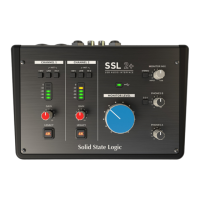
Explains the SSL 2+ as a USB-powered audio interface for studio-quality audio.
Lists the main features and capabilities of the SSL 2+ audio interface.
Compares the features and suitability of SSL 2 and SSL 2+ models.
Details the items included in the SSL 2+ box upon arrival.
Explains how to connect the SSL 2+ using USB cables and its power source.
Provides guidance on connecting the SSL 2+ via USB hubs for optimal stability.
Outlines the system requirements for operating the SSL 2+ audio interface.
Advises users to read important safety notices before using the device.
Guides users through the process of registering their SSL 2+ online.
Describes the bundled software package included with the SSL 2+.
Guides connecting the SSL 2+ to the computer via USB using provided cables.
Instructs on setting the SSL 2+ as the audio device in Mac system preferences.
Guides the installation of the SSL USB ASIO/WDM driver for Windows.
Instructs on setting the SSL 2+ as the audio device in Windows sound settings.
Provides steps to resolve issues if no audio playback is heard from the device.
Details how to select SSL 2+ as the audio device in Pro Tools | First.
Explains setting SSL 2+ as the audio device in Ableton Live Lite.
Enables phantom power for condenser microphones.
Selects Line input or adjusts impedance for guitars/basses.
Explains signal level metering and gain adjustment for inputs.
Explains the analogue enhancement effect inspired by SSL 4000-series consoles.
Controls the blend between live input and USB playback for monitoring.
Adjusts the output level to monitor speakers.
Controls the headphone levels for the PHONES A and PHONES B outputs.
Allows switching PHONES B to USB stream 3-4 for a separate mix.
Describes the combo XLR/Jack inputs for microphones and instruments.
Details the balanced TRS outputs for monitors and amplifiers.
Explains the unbalanced RCA outputs mirroring TRS and for DJ mixers.
Details the two 1/4" headphone outputs with independent level controls.
Explains the MIDI interface and the USB-C port for computer connection.
Describes the Kensington security slot for physical security.
Illustrates how studio elements connect to the SSL 2+ rear panel.
Details connecting monitors to the SSL 2+ outputs and control interaction.
Shows how to connect the SSL 2+ to a DJ mixer using RCA outputs for separate tracks.
Guides setting levels for dynamic microphones on the SSL 2+.
Explains setting levels and phantom power for condenser microphones.
Details connecting and setting levels for line-level sources like keyboards.
Guides setting levels for guitars/basses using the HI-Z input.
Explains how to monitor incoming signals through headphones or monitors.
Advises on using the STEREO switch for proper stereo source monitoring.
Guides setting up audio tracks and inputs within a DAW for recording.
Explains using the Monitor Mix control for low-latency monitoring.
Addresses the issue of hearing signals twice and how to resolve it.
Discusses the impact of buffer size on latency and performance.
Defines sample rate and its impact on latency and file size.
Describes the Windows-specific control panel for SSL 2+ settings.
Details how to create a separate headphone mix using Pro Tools | First.
Explains using the 3&4 switch for cueing tracks in Ableton Live Lite.
Lists technical audio performance metrics for the SSL 2+.
Provides detailed specifications for the microphone input stage.
Lists technical specifications for the line input stage.
Details specifications for the instrument input stage.
Provides specifications for the balanced monitor output stage.
Lists technical specifications for the unbalanced output stages.
Provides technical specifications for the headphone output stages.
Details digital audio capabilities like sample rates and latency.
Describes the physical connectors and controls of the SSL 2+.
Summarizes miscellaneous rear panel connections and features.
Lists and describes the function of front panel LEDs.
Provides the physical dimensions and weight of the SSL 2+.
Directs users to online resources for troubleshooting and FAQs.
Provides essential safety instructions for using the apparatus.
States CE compliance, EMC standards, and connection recommendations.
Confirms compliance with RoHS directives and California law.
Outlines FCC compliance rules and user guidelines for the USA.
States compliance with Canadian ICES-003 standards.
Provides operating temperature and storage conditions.
 General
| Type | USB Audio Interface |
|---|---|
| Number of Channels | 2 |
| Connectivity | USB |
| Phantom Power | Yes |
| Sample Rate | 192 kHz |
| Bit Depth | 24-bit |
| Bus Powered | Yes |
| Preamps | 2 |
| MIDI I/O | No |
| Software | SSL Production Pack |
| OS Requirements - Mac | macOS 10.11 or later |
| Inputs | 2 x XLR/TRS Combo |
| Outputs | 2 x TRS |
| Headphone Outputs | 1 x 1/4" |
| OS Requirements - PC | Windows 8.1 or later |
| USB | USB-C |
| Driver | ASIO, Core Audio |

 To Next Page