EasyManua.ls Logo

Ssl SX210 - User Manual

Ssl SX210
8 pages
Print Icon
To Next Page IconTo Next Page
Loading...
Question and Answer IconNeed help?

Do you have a question about the Ssl SX210 and is the answer not in the manual?

Summary

Electrical and Audio Connections

+12 V Power Connection

Connect the positive battery terminal with an inline 3A fuse.

Ground Connection

Connect to a clean, solid chassis ground point.

Controls and Features Overview

Power Connections (+12 V, Remote, Ground)

Terminals for power, remote turn-on, and ground connections.

Troubleshooting Guide

Signal Processor Not Turning On

Troubleshooting steps when the unit fails to power on.

Very Low Sound Level

Troubleshooting steps for low audio output levels.

Excessive Background Noise

Troubleshooting steps for excessive noise in audio.
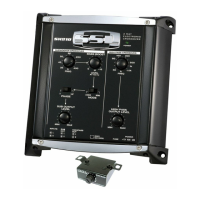
Product Specifications

Summary

Electrical and Audio Connections

+12 V Power Connection

Connect the positive battery terminal with an inline 3A fuse.

Ground Connection

Connect to a clean, solid chassis ground point.

Controls and Features Overview

Power Connections (+12 V, Remote, Ground)

Terminals for power, remote turn-on, and ground connections.

Troubleshooting Guide

Signal Processor Not Turning On

Troubleshooting steps when the unit fails to power on.

Very Low Sound Level

Troubleshooting steps for low audio output levels.

Excessive Background Noise

Troubleshooting steps for excessive noise in audio.

Product Specifications

Ssl SX210 Specifications

General IconGeneral
BrandSsl
ModelSX210
CategoryCrossover
LanguageEnglish

Related product manuals