SSP Professional Lighng
www.sspworld.com
6
CHASE/SCENE mode.
27. HOME Button –
This button is used to deactivate the Blind.
28. TAP SYNC. Button –
Repeatedly tapping this button establishes the chase speed.
29. FULL-ON Button –
Tap this button will bring overall output to full intensity.
30. BLACK-OUT Button –
This button is used to kill all output with exception for that resulting from Flash and Full On.
31. FADE Slider –
Used to adjust the Fade Time.
32. SPEED Slider –
Used to adjust the chase speed. Move this slider to all the way down till the 3 digit LCD display
reads SHO will enter into Show Mode, in which mode the chase action will pause.
33. AUDIO LEVEL Slider –
This slider controls the sensitivity of the Audio input.
34. FOGGER Button –
When the upper READY LED illuminates, press this button to control the attached fog machine for
fogging.
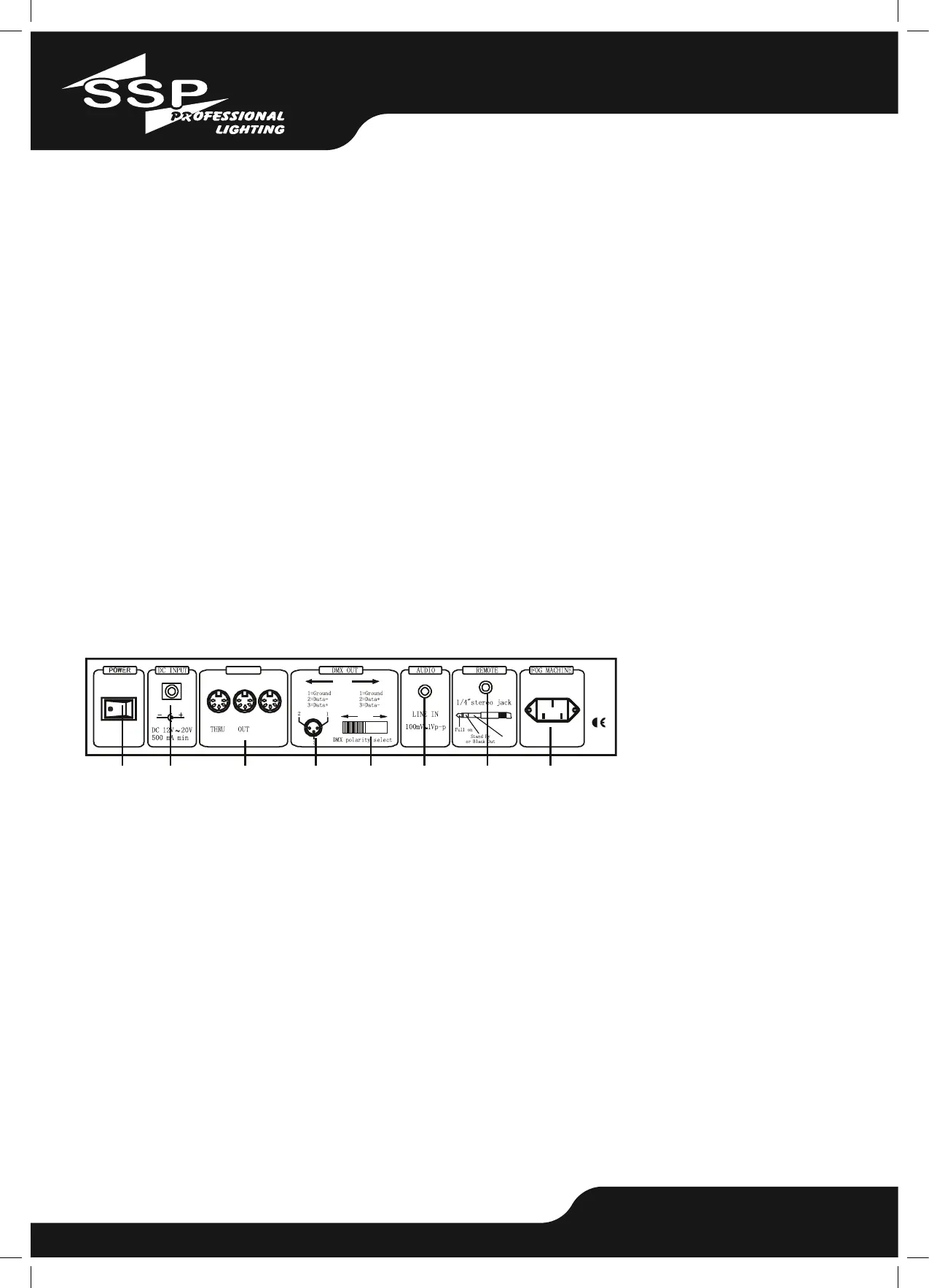
Power Switch –
This switch controls turning on or off the power.
36. DC Input –
DC 12-20V, 500mA Minimum.
37. MIDI Thru./Out/In –
MIDI ports for connection to a sequencer or MIDI device.
38. DMX Out –
This connector sends your DMX value to the DMX xture or DMX pack.
39. DMX Polarity Select –
Used to select DMX polarity.
40. Audio Input –
This jack accepts a line level audio input signal ranged from 100Mv to 1V pp.


 To Next Page
 Loading...