English
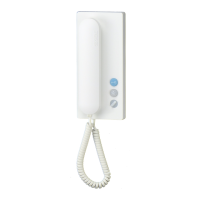
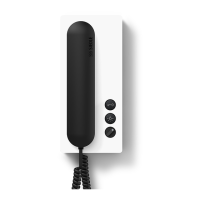
Accepting door calls
The ringing tones for the front
door and apartment door are dif-
ferent. When a visitor presses the
door bell, the telephone rings and
the mute button ashes.
The call can be accepted within 45
seconds of the last ring tone.
Actuating the door release
When you press the door release,
the door from which the last call
came is opened for 3 seconds.
Switching on the light
When you press the light button,
the lighting is switched on, pro-
vided this has been connected by
your electrical installer.
Muting the bell
When the mute button is pressed
briey, all the ringing tones are
switched off or on again. The
button lights up red to indicate
that the mute has been activated.
If a visitor rings the door bell while
the in-house telephone is switched
to mute, the button ashes.
Selecting a door station
Lift the receiver. Press the light
button twice to make a speech
connection to the door station
from which the last call came.
Ring tone volume
The ring tone volume can be set to
5 different levels:
Put down the receiver then
press and hold down the mute
button for 3 seconds to hear the
set ring tone volume.
Press the mute button briey
and the volume increases by one
level. After the highest level it goes
back to the lowest level.
Save the selected volume by
pressing the mute button for 3 sec-
onds.
Ring tone melody
You can choose between 11 ring
tone melodies. The ring tone is
always set for the door from which
the last call came.
For this reason, rst ring the bell at
the front door or apartment door.
(A different ring tone melody can
also be selected for internal or
group calls).
When the handset
is on-hook: Press and hold down
the door release and light button
simultaneously for 3 seconds to
hear the set ring tone melody.
Pressing the mute button
changes the ring tone melody.
Save the selected ring tone
melody by pressing the mute
button for 3 seconds.


 To Next Page
 Loading...