10
Overview of menus and symbols
Main menu
Video memory Accessing the Video memory menu
In the Video memory menu, a list of all images saved when door calls were
made is displayed. Individual images can be selected and opened using the
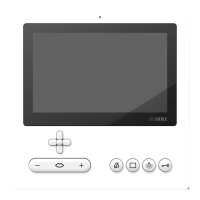
5-way cross-shaped control element; See section “Video memory”.
Settings Accessing the Settings menu
Audio settings • Ring tone selection for different types of call (11different ring tones)
• Ring tone volume (adjustable in 5stages)
• Call volume (adjustable in 5stages)
• Microphone sensitivity (adjustable in 3stages)
Date and time Setting of:
• The time and time format
• Automatic time changeover (summertime/ normal time)
• Date and date format
Remark: The date and time are required in order to assign the correct time
to new pictures.
Video memory • Deleting all saved images
• Setting the video memory image capture delay (time until the picture is
taken after ringing the bell; can be set between 0 and 9seconds)
• Saving images (activating/deactivating automatic image saving)
Video image Setting of:
• Brightness (adjustable in 9stages)
• Colour saturation (adjustable in 9stages)
• Picture format used with an activated door call/ speech connection
(display mode)
Language Language selection
Factory setting • Resetting to default settings
• Software version display


 To Next Page
 Loading...