Step 4: IoT Hub Overview
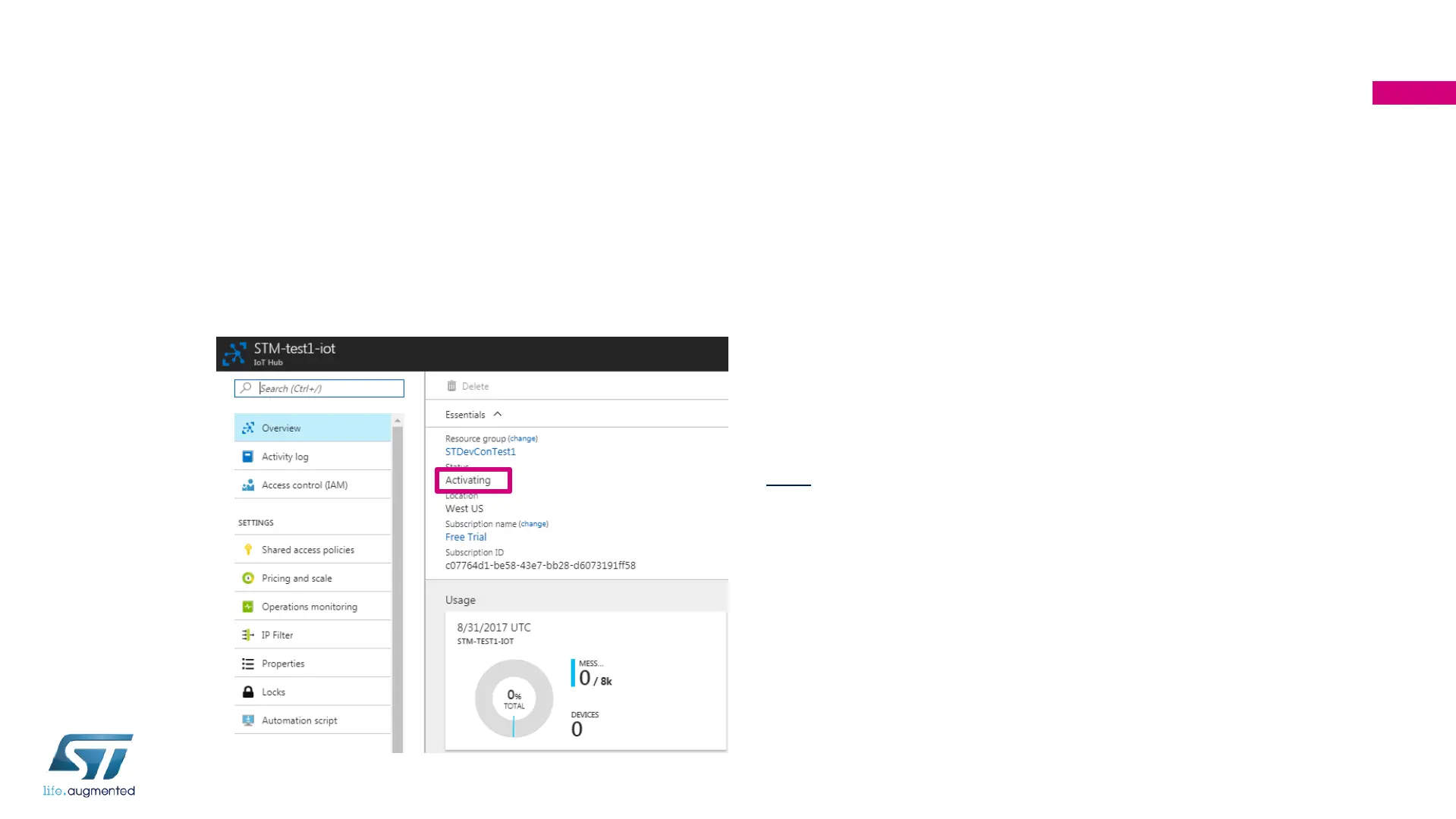
wait for “Active” status (Cont’d)
• If you see the status of your newly created IoT Hub as “Activating”,
you may need to wait for a few minutes for activation.
128
Note: You may also have to log out and log
back in for status to change from “Activating”
to “Active” for a newly created IoT Hub.


 To Next Page