Step 4: Create a New Device in
Device Explorer (Cont’d)
207
1
2
3
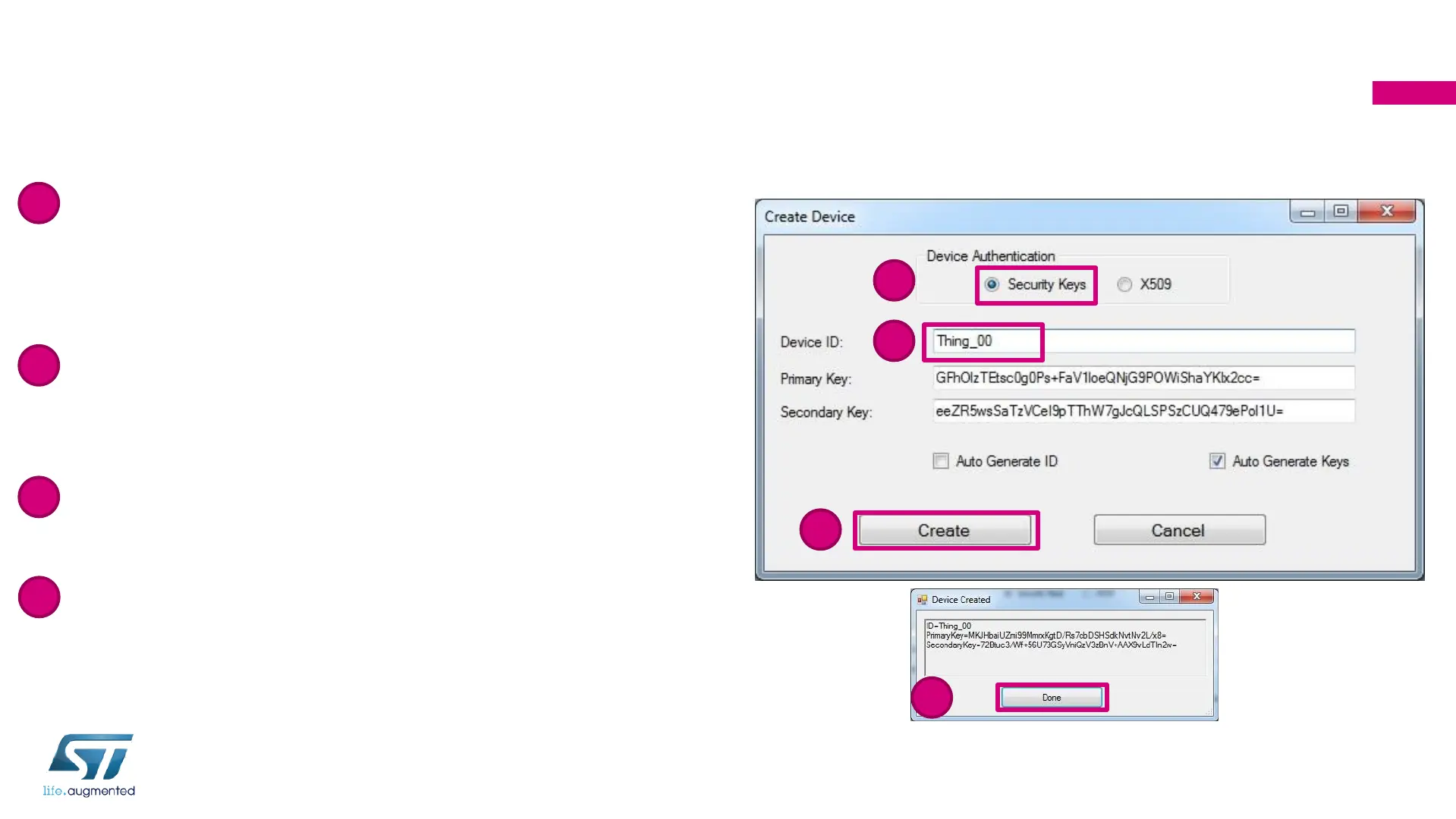
• For this tutorial we rely on device authentication
with keys. However, also device identification
with X509 certificated is supported by NucleoL4
• Insert your device ID “Thing_XX”: “XX” is your
participant number (2 characters) printed on the
box
• Click on Create to create the device in your IoT
Hub
• A Device Created window appears, indicating
that your device has been successfully
registered with this IoT Hub. Click “Done”
1
2
3
4
4


 To Next Page