Step 5: Retrieve Connection string
for added device
209
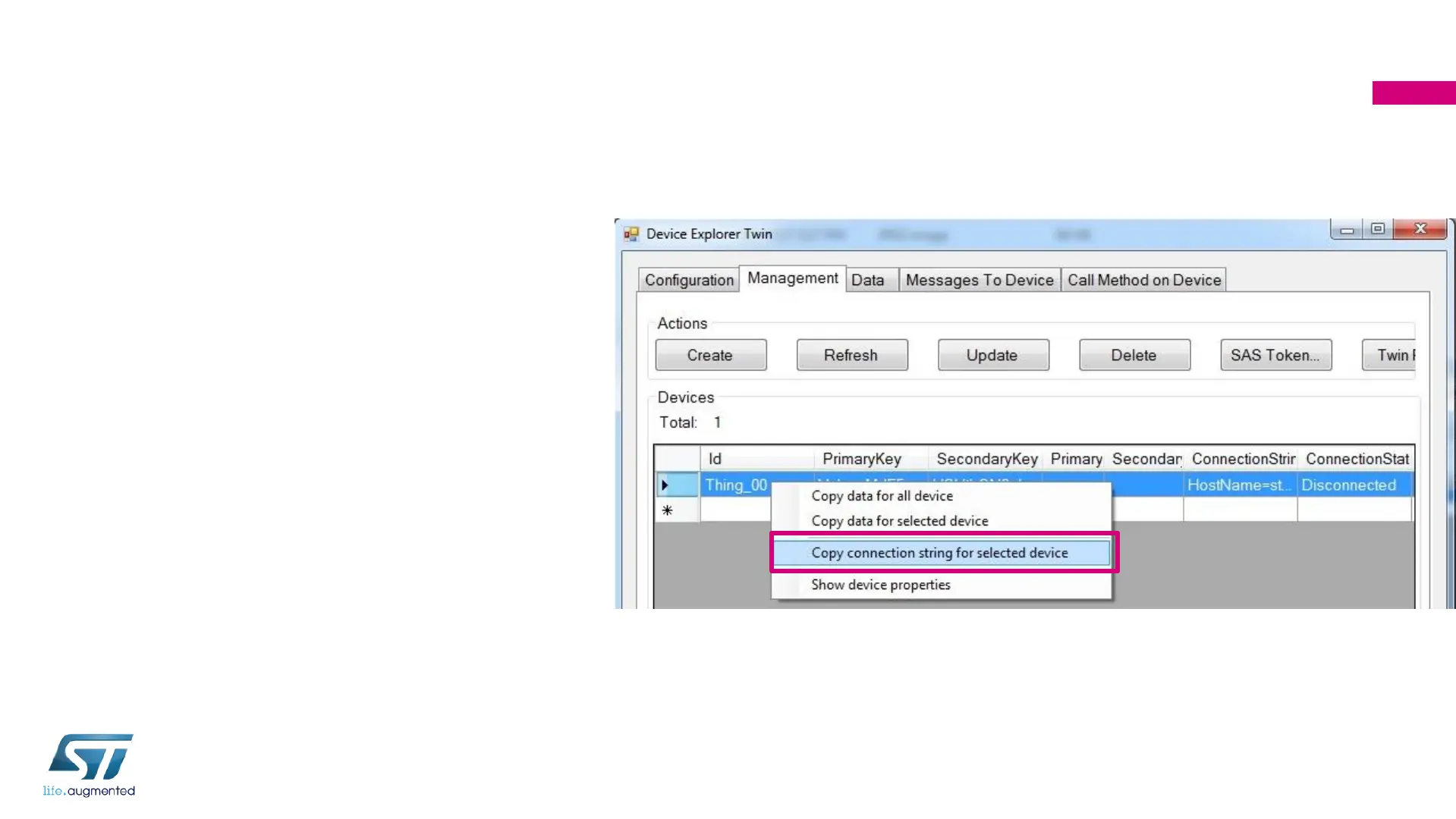
• Select your device ID “Thing_XX”:
“XX” is your participant number (2
characters) printed on the box
• Use the mouse right click for context
menu then select Copy connection
string for selected device
• Paste the connection string in
Notepad++. It will be used later


 To Next Page