Microphone
SYDNEY USB-Mic
Default Device
Your preferences are now set to use the SYDNEY with Windows 7/10 with the
recording program of your choice.
10
Preliminary setup with Windows 7/10
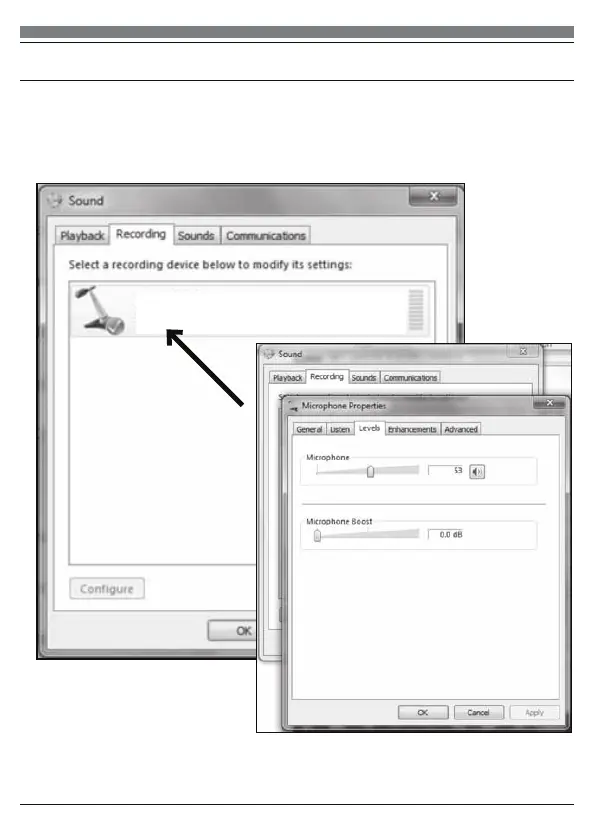
6. Select the Recording tab, and choose SYDNEY USB as the default device.
7. Double click on the SYDNEY USB icon to open the Microphone Properties
window. Select the levels tab to adjust microphone level (loudness). You may
need to come back to this window to readjust the level after you begin recording.
(continued)


 To Next Page