Preliminary setup with Windows Vista
1. Plug the free end of the USB cable into the USB port on your computer.
Your computer will automatically recognize the USB device.
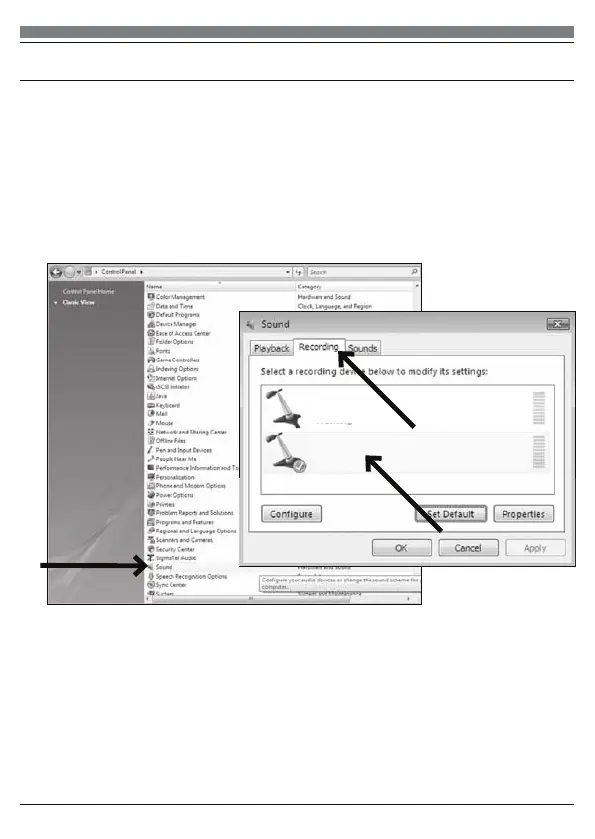
2. To select the SYDNEY USB as your default recording device, begin at your
START menu. Select Control Panel
3. Select (double-click) Sound
5. Select the Recording tab. Make sure that the SYDNEY USB microphone is
set as the default recording device. (You should see a green check mark
beside the USB microphone icon.)
Your preferences are now set to use the SYDNEY with Windows Vista with
the recording program of your choice.
7
Microphone
SYDNEY USB Mic
Working
Microphone
SigmaTel C-Major Audio
Working


 To Next Page