6
Preliminary setup with Windows XP
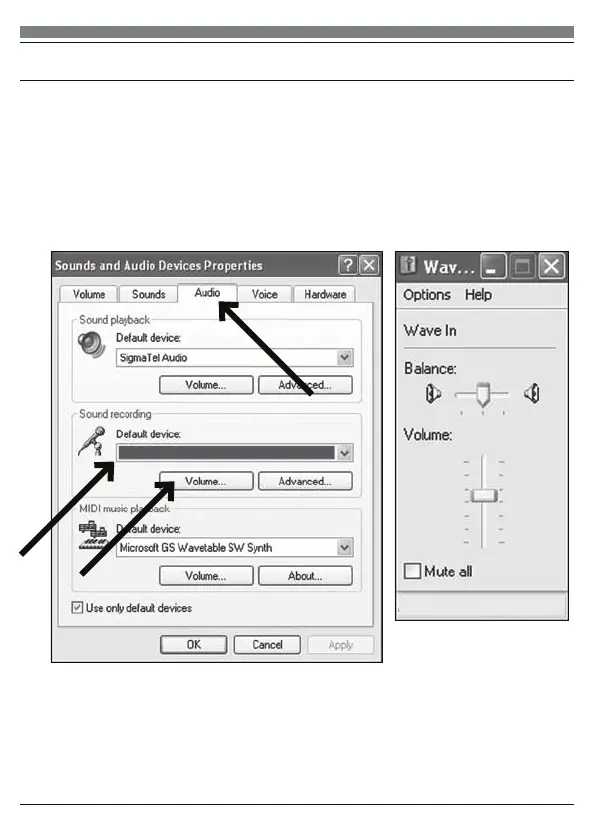
5. Select the Audio tab, and choose SYDNEY USB as the default device.
6. Adjust computer volume by clicking on the Volume button beneath Sound
recording Default device.
7. Through the Wave In window, you can set the computer volume or mute
the microphone.
8. Your preferences are now set to use the SYDNEY with Windows XP with
the recording program of your choice.
SYDNEY USB
MEMPHIS
(continued)


 To Next Page