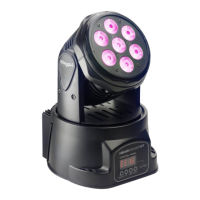
Modes Selection
• Press MENU, then UP or DOWN until one of the following mode is displayed,
then press ENTER
o MASL / SLOU: Master automatic slow mode. The HeadBanger
will play automatic sequences with slow movements.
o MAFA / FASt: Master automatic fast mode. The HeadBanger will
play automatic sequences with fast movements.
o MStS: Master sound mode. The HeadBanger will play automatic
sequences controlled by the ambient sound or music.
o MStc: Machine Stand-alone Control. Second automatic mode to
use the HeadBanger as stand-alone machine without any slaves
in the daisy-chain
o SlAu: Slave mode. This unit will follow the “Master” behavior of
the daisy chain.
• Select your desired mode with UP or DOWN and press ENTER to confirm.
Tilt and pan reverse mode
• Press MENU, then UP or DOWN until “Pan” or “TIL” is displayed, then press
ENTER.
• "rPan" or “rTIL”: The unit inverts the pan (horizontal) or tilt (vertical) movement
(up becomes down and left becomes right)
• "Pan" or “TIL”: The unit's PAN movement is run normally.
• Press ENTER to confirm
Display Inversion
• Press MENU, then UP or DOWN until “DISP” or “rDIS” is displayed, then
press ENTER
• By pressing ENTER, the unit's display can be inverted so that when the light
is hung upside-down, the display will still be properly readable by the user.
Channels modes
• Press MENU, then UP or DOWN until “14CH” or “9CH” is displayed, then
press ENTER
• You can choose between 9 or 14 dmx channels modes using the UP or
DOWN buttons, press ENTER to confirm.
9 Channels


 To Next Page