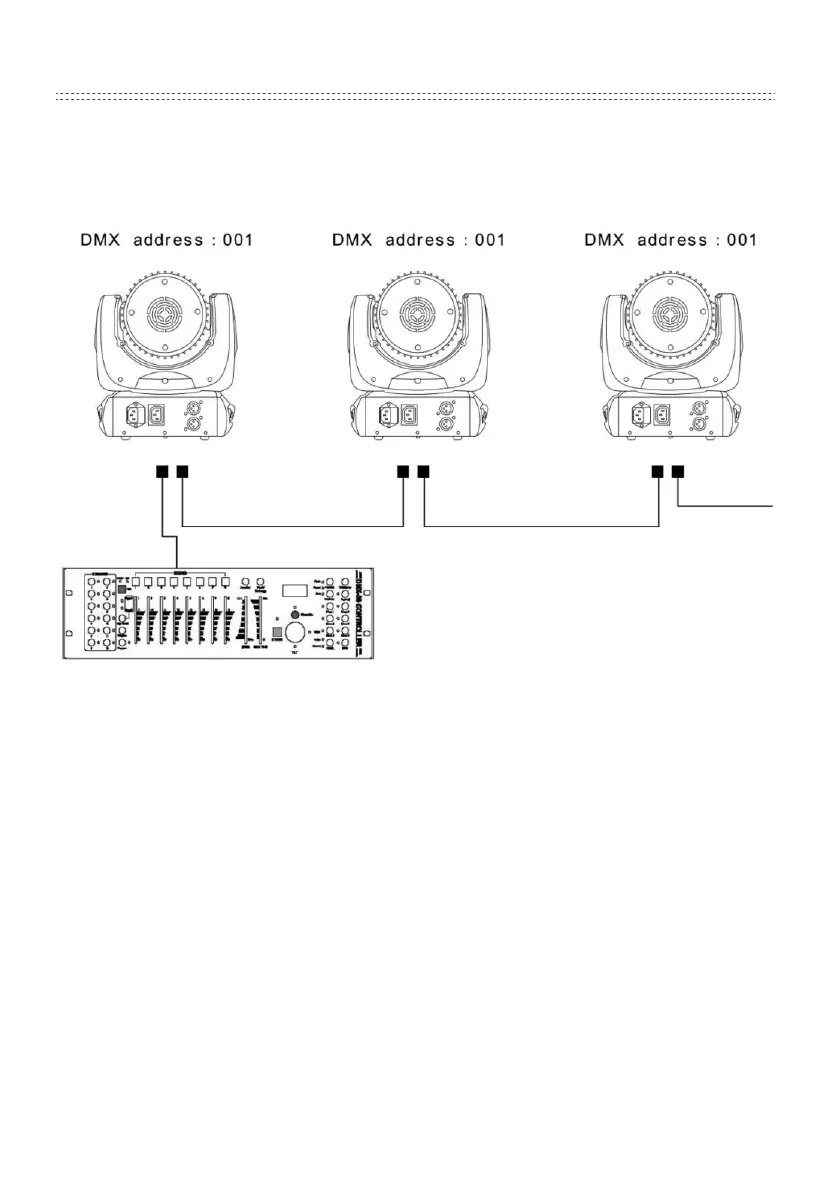
DMX daisy-chain example
Operating Instructions
Take note: All changes made to the unit become active and saved when pressing
the “OK” button. Screen turn automatically off after 5 seconds of inactivity. The
unit will then display the active running mode or the DMX address when DMX
input is detected.
DMX Address Setup
•
Press MENU, until “Dxxx” is displayed, then press ENTER
• Change the DMX address by pressing UP or DOWN
• Press ENTER to save the DMX address


 To Next Page