EasyManua.ls Logo

Stairville BossFX-1 - User Manual

Stairville BossFX-1
36 pages
Print Icon
To Next Page IconTo Next Page
Loading...
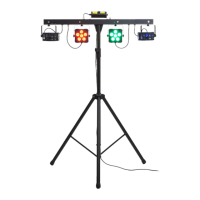
LED BossFx-1 Bundle
LED lighting set
user manual

Questions and Answers

  • T
    timothydeanAug 3, 2025
    What to do if Stairville BossFX-1 Lighting Equipment doesn't work?
    • F
      Felicia LewisAug 3, 2025
      If your Stairville Lighting Equipment isn't working, displaying no light and the fan isn't running, start by checking the power connection and the main fuse. Also, verify the safety key switch and any external safety switches, such as an emergency stop button.
  • D
    Dillon ChristianAug 10, 2025
    How to fix Stairville BossFX-1 no response to DMX controller?
    • A
      Anna BushAug 10, 2025
      If your Stairville Lighting Equipment doesn't respond to the DMX controller, and the display shows a flashing number (like '001'), it means no DMX signal is being received. Check the DMX connectors and cables for a secure connection. If the display isn't flashing, verify the address settings and DMX polarity. You can also try another DMX controller and ensure DMX cables aren't running near high-voltage cables, which could cause interference.
  • M
    Mariah AndrewsAug 18, 2025
    What to do if Stairville BossFX-1 remote control not working?
    • L
      Lori PenningtonAug 18, 2025
      If your Stairville Lighting Equipment isn't responding to the remote control, first check the remote control's battery. If the battery is fine, try using the remote control at a different angle to the IR sensor located on the front panel of the device.
  • B
    Benjamin DouglasAug 26, 2025
    Why Stairville BossFX-1 Lighting Equipment wireless foot switch not working?
    • C
      carsonronaldAug 26, 2025
      If your Stairville Lighting Equipment isn't responding to the wireless foot switch, start by checking the battery of the wireless foot switch. Next, go to the ‘SYS’ menu and ensure that the interface for the wireless foot switch is active. Finally, try changing the orientation of the antenna.

Summary

2 Safety instructions

Intended Use and Laser Safety

Defines proper use, laser class, and necessary precautions for safe operation.

Child and Electrical Shock Hazards

Provides critical warnings regarding child safety and electric shock hazards within the device.

Electrical, Laser, and Burn Hazards

Details risks of electric shock, laser radiation exposure, eye damage, epileptic shock, burns, and fire hazards.

Fire, Operating, and Power Safety

Covers fire risks from blocked ventilation, environmental conditions, and power supply precautions.

3 Features

4 Installation

Installation Warnings and Safety Switch

Covers laser radiation safety, need for a safety switch, and securing the device to prevent falling.

Operational Notes and Safety Switch Connection

Provides notes on overheating, stand usage, data transmission, and connecting the safety switch.

5 Starting up

DMX and Master;Slave Connections

Explains how to connect the device for DMX control and master/slave operation modes.

7 Operating

Starting and Stopping Procedures

Provides step-by-step instructions for safely starting and stopping the device's operation.

Main Menu Navigation

Explains how to navigate the main menu and submenus using the device controls.

8 Technical specifications

9 Plug and connection assignment

10 Troubleshooting

Stairville BossFX-1 Specifications

General IconGeneral
BrandStairville
ModelBossFX-1
CategoryLighting Equipment
LanguageEnglish

Related product manuals