Need help?
Do you have a question about the Stairville DMX-Master 3-FX and is the answer not in the manual?
Specifies intended use and lists critical safety precautions and hazards.
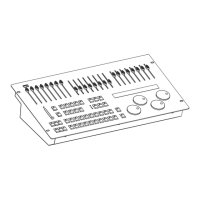
Details the layout and functions of the front panel controls.
How to program, edit, copy, and delete scenes and banks.
How to set up, change, and reset blackout functions.
Introduction to the effects generator for movement patterns.
Instructions for playing back scenes and chasers.
Bank playback with music control and using sliders to override values.
Introduction to controlling the device via MIDI.
MIDI note assignments for synthesizer control of scenes, chasers, and blackout.
MIDI note assignments for keyboard control of banks, overlays, and functions.
Procedures for backing up and restoring device settings via USB.
Procedures for updating firmware and resetting the logo.
 General
| Type | DMX Controller |
|---|---|
| Channels | 192 |
| DMX Output | 3-pin XLR |
| Weight | 2.5 kg |
| Display | LCD |
| Power Supply | 12V DC |
| Programs | 30 |

 To Next Page