Need help?
Do you have a question about the Stairville Invader 2420 and is the answer not in the manual?
Prevent electrical shocks with proper connection and handling.
Steps to mitigate fire risks during operation and storage.
Measures to protect users, especially children, from harm.
Critical safety alerts and precautions for device usage.
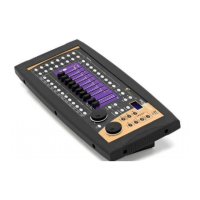
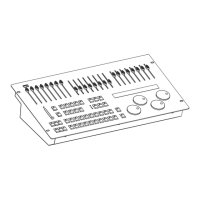
Identification of controls and indicators on the front panel.
Details of ports and inputs/outputs on the rear panel.
How to enter and exit the controller's programming mode.
Procedure for creating, adjusting, and storing lighting scenes.
Creating scenes that incorporate fixture pan and tilt movements.
Steps to create and save basic lighting scenes without movement.
Duplicating programmed scenes for reuse or modification.
Removing programmed scenes from the controller's memory.
Duplicating entire banks of stored scenes.
Creating and storing sequences of scenes known as chases.
Method to store multiple scenes into a single bank.
Adding or defining specific steps within a chase sequence.
Adding new steps into an existing chase at a specific position.
Removing specific steps from a programmed chase sequence.
Procedure to remove a complete chase sequence from memory.
Creating and saving presets for color, gobo, or other fixture attributes.
Modifying previously saved fixture presets.
Assigning multiple fixtures to a group for unified control.
Modifying the members or settings of existing fixture groups.
Defining default or center positions for fixture movement.
Modifying pre-defined center positions for fixture movement.
Setting up special functions or overrides for fixture control.
Modifying existing override settings for fixtures.
Creating sequences of chases or scenes into cues for playback.
Modifying existing cue sequences and their assigned chases.
Removing a cue sequence from the controller's memory.
Defining and saving a blackout scene for immediate activation.
How to access the main configuration menu screen.
Adding custom profiles for lighting fixtures to the library.
Editing existing fixture profiles in the controller's library.
Removing unused or unwanted fixture profiles from the library.
Assigning specific fixtures to DMX universe and channel addresses.
Inverting the behavior of specific DMX channels for fixtures.
Configuring the fade behavior for channel changes or scene transitions.
Choosing the behavior for the blackout function (standby, center, etc.).
Setting the MIDI input channel for external control signals.
Configuring chase playback timing and behavior (inside/outside time).
Setting up DMX addresses for fixtures remotely via the controller.
Loading program files, bank files, or fixture profiles from a CF card.
Saving programs, banks, or profiles onto a CF card for backup.
Changing or setting passwords for controller security.
Activating or deactivating password protection features.
Resetting the controller to its factory default settings.
Adjusting the sensitivity for sound-activated mode operation.
Setting the display format for DMX channel values (0-255 or 0-100).
Manual, sound, and auto modes for scene playback.
Automatic, timed playback of scenes.
Executing programmed sequences (auto & sound modes).
Executing programmed cue sequences for complex show control.
Temporarily overriding playback with manual control.
Configuration and operation of the fog machine feature.
Configuration and operation of the strobe light function.
 Power
Power| power input | 100-240VAC 50/60Hz |
|---|---|
| fuse | T1A 250V 5x20mm |
 Weight and Dimensions
| dimensions | 483x263x100mm |
|---|---|
| weight | 5.8 kg |

 To Next Page