OPERATIONAL INSTRUCTIONS
15
HOW TO FILL AND EMPTY THE TANK
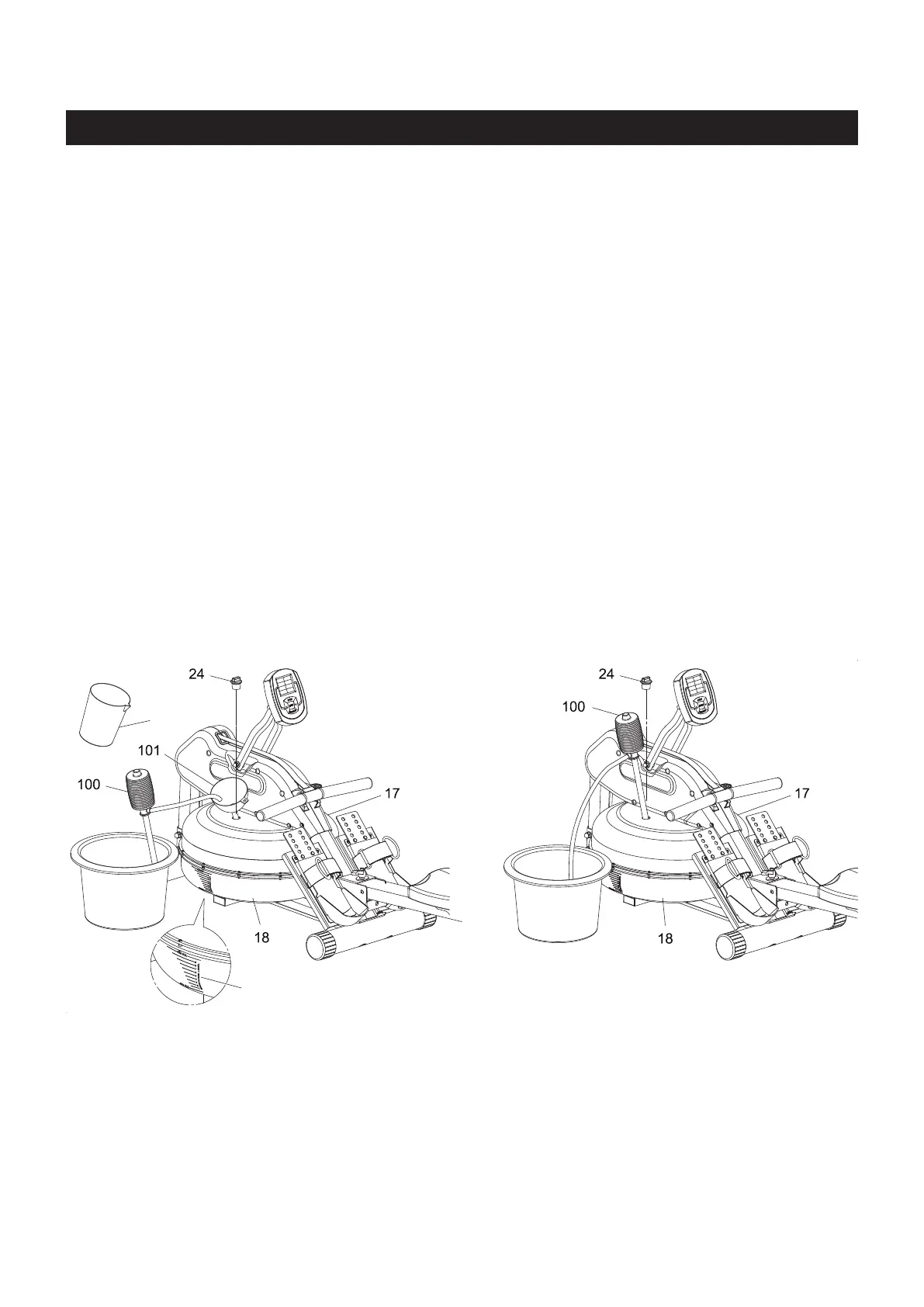
1. Remove the FILL PLUG(24) from the UPPER TANK(17).
2. To ll with water, refer to illustration A. Place the FUNNEL(101) into the tank. Use a water cup, or
the SYPHON PUMP(100) and a bucket to ll the tank. Use Water Level Gauge on the side of tank to
measure volume of water in tank to the desired level.
3. To empty tank, refer to illustration B. Place a bucket next to the rower. Use the SYPHON PUMP(100)
to pump out the water from the tank into the bucket.
4. Once completed, insert the FILL PLUG(24) into the UPPER TANK(17). Please wipe excess water
from the frames after lling.
NOTE:
WATER LEVEL
Refer to the detail view of illustration A. The Water Level Gauge is positioned on the side of the tank. The
maximum level to ll the tank is Level 10. DO NOT ll above the Maximum Level - this could void the
warranty. The standard calibration level is Level 9.
The amount of resistance is dictated by the amount of water in the tank. For example Level 3 of water
oer light resistance, Level 9 oers the heaviest resistance.
A. B.
Water Cup
Water Level Gauge
1. Fill the tank only with municipal water, do not use well water. If municipal water is unavailable,
use distilled water and add a water purication tablet. NEVER USE POOL CHLORINE OR
CHLORINE BLEACH. Refer to the Maintenance section for more advice on water treatment.
2. The water in the tank is not for human or animal consumption. Please safely dispose of the
water properly after removal from the tank.



 To Next Page