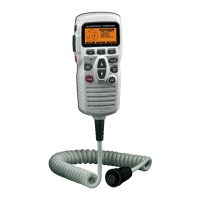
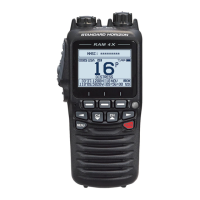
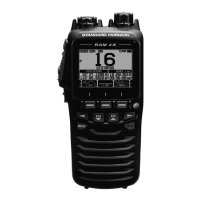
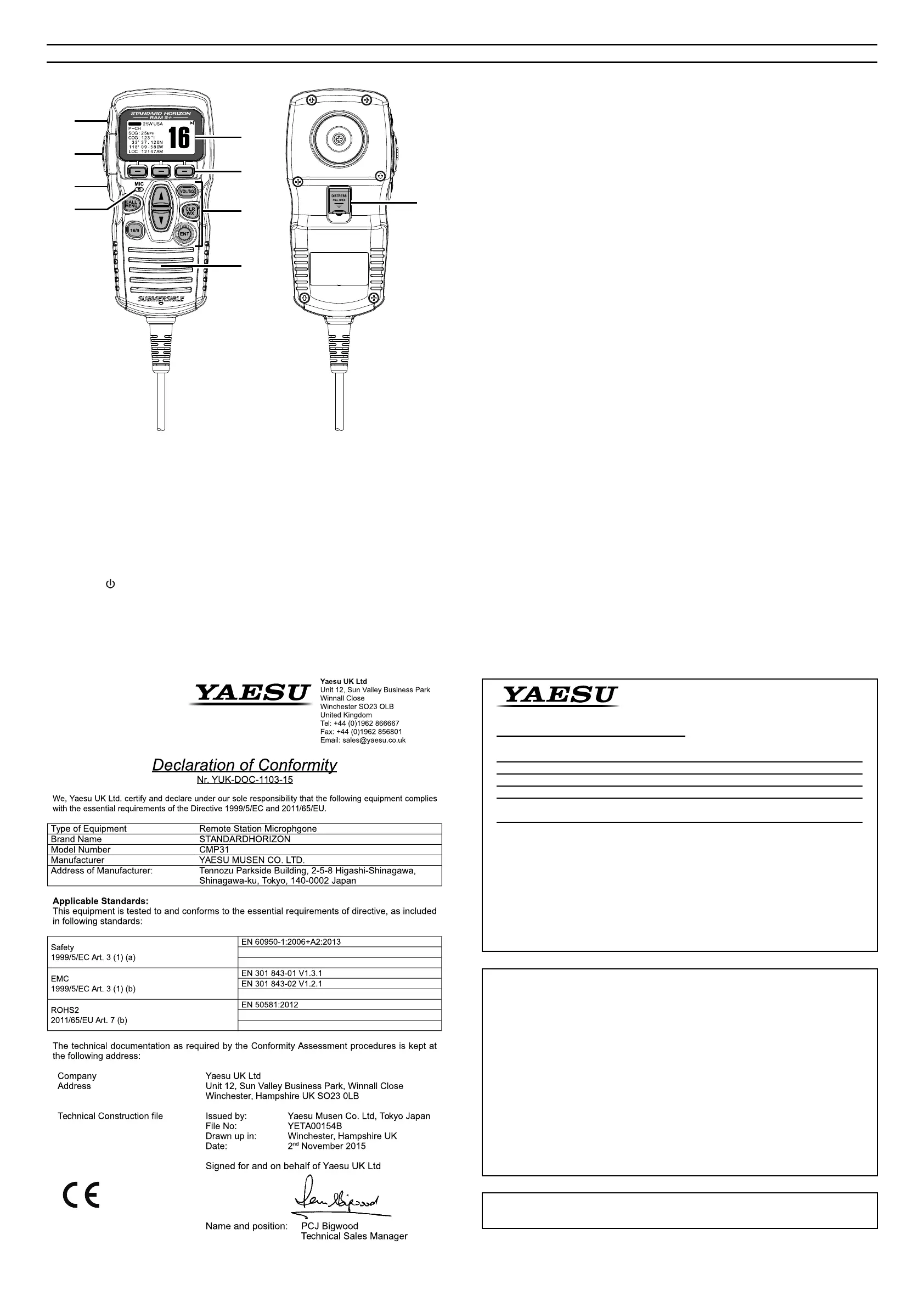
RAM3+
(
CMP31
)
controls
À
[
H/L
]
Key
Press this key to toggle the transmit power between high and low. When the
[
H/L
]
key is pressed while the transceiver is on channel 13 or 67, the power will temporarily
switch from LOW to HI power until the PTT is released. The
[
H/L
]
key does not function
on transmit inhibited and low power only channels.
Á
PTT
(
Push-To-Talk
)
Key
Press this key to activate the transmission.
Â
POWER
(
)
Key
Press and hold down this key to turn to the transceiver and RAM3+
(
CMP31
)
“on” and
“off”.
Ã
Microphone
The internal microphone is located here.
When transmitting, position your mouth about 1/2 to 1 inch (1.2 ~ 2.5 cm) away from
the small mic hole. Speak slowly and clearly into the microphone.
Ä
DISPLAY
Channel display.
Å
SOFT KEY
For details, refer to owner’s manual of the transceiver.
Æ
KEY PAD
[
CALL/MENU
]
Key
Press this key to access the DSC OPERATION menu.
Press and hold this key to access the SETUP menu.
[
16/9
]
Key
First press: channel 16 is immediately selected.
Second press: recalls the last selected channel.
Press and hold: selects channel 9.
[
](
UP
)
/
[
](
DOWN
)
Key
These keys are used to select channels, adjust the volume and squelch level, and to
choose DSC calls, DSC setup and Radio setup function.
[
VOL/SQ
]
Key
(
Volume Control / Squelch Control
)
Press this key to toggle the function of the microphone’s
[
]
or
[
]
key between the
channel selections, volume level adjustment, and squelch level adjustment.
[
CLR/WX
]
Key
For details, refer to owner’s manual of the transceiver.
[
ENT
]
Key
This key functions as the enter key.
Ç
Speaker
The internal speaker is located here.
È
[
DISTRESS
]
KEY
This key is used to send a DSC Distress Call.
Lift the red spring loaded DISTRESS cover, then press and hold in the
[
DISTRESS
]
key.
⑤
①
②
③
④
⑥
⑦
⑧
DISTRESS
BUSY
⑨
This equipment has been tested and found to comply with the limits for a Class
B digital device, pursuant to Part 15 of the FCC Rules. These limits are designed
to provide reasonable protection against harmful interference in a residential
installation. This equipment generates, uses and can radiate radio frequency
energy and, if not installed and used in accordance with the instructions, may
cause harmful interference to radio communications. However, there is no
guarantee that interference will not occur in a particular installation.
If this equipment does cause harmful interference to radio or television reception,
which can be determined by turning the equipment off and on, the user is
encouraged to try to correct the interference by one or more of the following
measures:
Increase the separation between the equipment and receiver.
Connect the equipment into an outlet on a circuit different from that to which
the receiver is connected.
Consult the dealer or an experienced radio/TV technician for help.
Declaration of Conformity
Type of Equipment: Remote Station Microphone
Brand Name: STANDARD HORIZON
Model Number: CMP31
Manufacturer: YAESU MUSEN CO., LTD.
Address of Manufacturer: Tennozu Parkside Building, 2-5-8 Higashi-Shinagawa,
Shinagawa-ku,Tokyo 140-0002 Japan
This device complies with part 15 of the FCC Rules. Operation is subject to the
following two conditions; (1) this device may not cause harmful interference, and (2)
this device must accept any interference received, including interference that may
cause undesired operation.
The technical documentation as required by the Conformity Assessment procedures is kept at
the following address:
Company: Yaesu U.S.A.
Address: 6125 Phyllis Drive, Cypress, CA 90630, U.S.A.
Telephone: (714) 827-7600
Changes or modications to this device not expressly approved by YAESU MUSEN
could void the user’s authorization to operate this device.


 To Previous Page
 Loading...