EasyManua.ls Logo

Standart Horizon GX1800GPS/E - User Manual

Default Icon
126 pages
Print Icon
To Next Page IconTo Next Page
Loading...
z International ITU-R M.493-13 Class D DSC (Digital Selective Calling)
(European Version: Meets ITU-R M.493-14)
z NMEA 2000 Compatible (GX1850GPS, GX1850GPS/E and GX1850 only)
z Input and Output of GPS information to NMEA 0183 compatible devices
z Integrated 66 Channel Internal GPS receiver (GX1850GPS, GX1850GPS/E,
GX1800GPS and GX1800GPS/E only)
z Automatic DSC polling of up to 6 ships GPS positions*
z Auto DSC channel selection & DSC test call
z GPS Compass Page*, Enter and Save Waypoints*, Navigate Routes to Locations*
z Automatic Distress Messaging*, MOB Report & Location*, MOB Location Navigation*
z Large Viewable Display, Easy to Mount, Submersible IPX8 (5 feet or 1.5 m for 30 minutes)
z Noise canceling microphone with channel change, 16/S and H/L key buttons
z SSM-70H Remote-Access RAM4 Microphone Second Station & Intercom
z ATIS Mode for European Inland Waterways (GX1850GPS/E and GX1800GPS/E only)
*External GPS device required for GX1850 and GX1800.
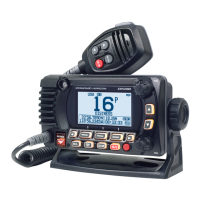
EXPLORER NMEA2000 GPS
GX1850GPS GX1850GPS/E
(
European Version
)
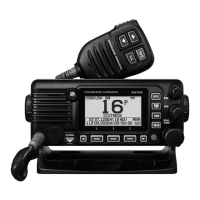
EXPLORER NMEA2000
GX1850
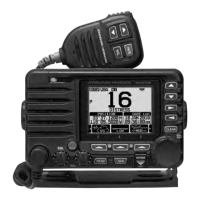
EXPLORER GPS
GX1800GPS GX1800GPS/E
(
European Version
)
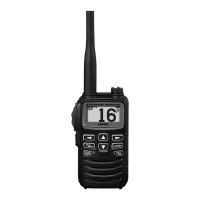
EXPLORER
GX1800
Owners Manual

Table of Contents

Questions and Answers

  • C
    Cassidy PorterAug 5, 2025
    How to fix a Standart Horizon GX1800GPS/E Transceiver that fails to power up?
    • P
      Patrick TaylorAug 5, 2025
      If your Standart Horizon Transceiver fails to power up, it may be due to no DC voltage reaching the unit or a blown fuse. First, check the 12 VDC battery connections and the fuse. Also, ensure that the power key is pressed and held down to turn the radio on.
  • C
    Christopher MartinezAug 9, 2025
    Why does my Standart Horizon GX1800GPS/E show 'HI BATTERY' or 'LO BATTERY'?
    • C
      christine75Aug 9, 2025
      The “HI BATTERY” or “LO BATTERY” message on your Standart Horizon Transceiver indicates that the power supply voltage is either too high or too low. Verify that the connected power supply voltage is between 11 volts and 16.5 volts DC.
  • M
    Mr. Jeffrey AcostaAug 13, 2025
    What to do if Standart Horizon GX1800GPS/E Transceiver blows a fuse when connected to power?
    • G
      Gregory LynnAug 14, 2025
      If your Standart Horizon Transceiver blows a fuse when connected to the power supply, it's likely due to reversed power wires. Check the power cable for DC voltage and replace the fuse (6A). Ensure the red wire connects to the positive (+) battery post and the black wire to the negative (–) post. If the issue persists, contact your Dealer.
  • Y
    Yvonne ThompsonAug 17, 2025
    Why is my Standart Horizon GX1800GPS/E Transceiver transmit power low?
    • A
      Andrea FrederickAug 17, 2025
      If a receiving station reports low transmit power from your Standart Horizon Transceiver, even when set to HI power, the antenna may be the issue. Have the antenna checked or test the transceiver with another antenna. If the problem continues, contact your Dealer for servicing.
  • Z
    zreynoldsAug 22, 2025
    How to eliminate engine noise from Standart Horizon Transceiver speaker?
    • J
      Jodi JonesAug 22, 2025
      If you're hearing a popping or whining noise from the speaker of your Standart Horizon Transceiver while the engine is running, it's likely engine noise interfering with the radio. Try these steps: 1. Re-route the DC power cables away from the engine. 2. Add a noise suppressor on the power cable. 3. Change to resistive spark plug wires and/or add an alternator whine filter.
  • J
    jasonmclaughlinAug 26, 2025
    What to do if Standart Horizon GX1800GPS/E Transceiver position is not displayed?
    • G
      gweissAug 26, 2025
      If your position is not displayed on the Standart Horizon Transceiver, there could be several reasons: * Check the “UNIT POWER” setting is “ON”. * Check the accessory cable connection. Some GPS use the battery ground for NMEA connection. * Check the SCU-38 cable connection. * Check the output signal format of the GPS navigation receiver. This radio requires NMEA 0183 and NMEA 2000 format with GLL, RMB, or RMC sentence as an output signal. If the GPS has a baud rate setting make sure to select 4800 and parity to NONE.
  • H
    heather73Aug 30, 2025
    What to do if Standart Horizon Transceiver has no sound?
    • M
      Manuel HughesAug 30, 2025
      If no sound comes from the internal or external speaker of your Standart Horizon Transceiver, the issue might be with the accessory cable. Check the connections of the accessory cable. Specifically, ensure that the external speaker cable (WHITE/ SHIELD) is not shorted.

Summary

QUICK REFERENCE

5 Safety Precautions (Be Sure to Read)

DANGER, WARNING, CAUTION

Details specific hazards and necessary precautions for safe product use.

8 INSTALLATION

8.4 ELECTRICAL CONNECTIONS

Details the procedures for connecting power and antennas to the radio.

8.6 INITIAL SETUP REQUIRED WHEN TURNING ON THE POWER FOR THE FIRST TIME

8.6.1 Maritime Mobile Service Identity (MMSI)

Guides on programming the mandatory 9-digit MMSI for DSC functions.

9 BASIC OPERATION

11 DIGITAL SELECTIVE CALLING (DSC)

11.2 DISTRESS ALERT

Details how to transmit and receive DSC distress alerts for emergencies.

12 NAVIGATION

17 DSC SETUP

18 GPS SETUP

21 MAINTENANCE

21.3 TROUBLESHOOTING CHART

Provides solutions for common symptoms and probable causes.

Standart Horizon GX1800GPS/E Specifications

General IconGeneral
BrandStandart Horizon
ModelGX1800GPS/E
CategoryTransceiver
LanguageEnglish

Related product manuals