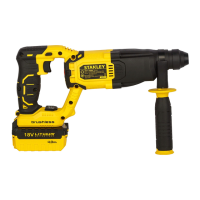
.
.
있습니다.
있습니다.
뽑으십시오.
청소하십시오.
청소하십시오.
마십시오.
털어내십시오.
결정됩니다.
설계되었습니다.
있습니다.
수거.
안됩니다.
마십시오.
분류하십시오.
있습니다.
있습니다.
.
7
ENGLISH (Original Instructions)
resume.
WARNING! When the drill bit hits cement or the steel rebar
in the cement, the tool may recoil dangerously. Please hold
the tool tightly in a balanced and stable position at all times
to prevent it from recoiling dangerously.
Overload coupling device
If the drill bit is caught or hooked, the driving force
transmitted to the drill shaft will be cut off. This would
generate a strong recoil, so it would be necessary to hold
the tool tightly with both hands to remain in a stable position.
Chipping and chiselling (fig. B)
♦ Set the mode selector switch (5) to the“hammering only”
position.
♦ Insert the appropriate chisel and rotate it by hand to lock
it into positions.
♦ Adjust the side handle (9) as required.
♦ Switch on the tool and start working.
♦ Always switch off the tool when work is finished and
before unplugging.
WARNING! Do not use this tool to mix or pump
easily combustible or explosive fluids (benzine,
alcohol, etc.). Do not mix or stir inflammable liquids
labelled accordingly.
Accessories
The performance of your tool depends on the accessory
used. Stanley accessories are engineered to high quality
standards and designed to enhance the performance of
your tool. By using these accessories you will get the very
best from your tool.
MAINTENANCE
Your Stanley corded/cordless appliance/tool has been
designed to operate over a long period of time with a
minimum of maintenance. To ensure satisfactory operations,
the tool must be maintained and cleaned regularly
WARNING: To reduce the risk of injury, turn
unit off and disconnect machine from power
source before installing and removing accessories,
before adjusting or changing set-ups or when making
repairs. Be sure the trigger switch is in the OFF position.
An accidental start-up can cause injury.
♦ This machine is not user-serviceable. If problems occur
contact an authorised repair agent.
♦ The tool will automatically switch off when the carbon
brushes are worn.
WARNING! Before performing any maintenance on corded/
cordless power tools:
♦ Switch off and unplug the appliance/tool.
♦ Or switch off and remove the battery from the appliance/
tool if the appliance/tool has a separate battery pack.
♦ Or run the battery down completely if it is integral and
then switch off.
♦ Unplug the charger before cleaning it. Your charger
does not require any maintenance apart from regular
cleaning.
♦ Regularly clean the ventilation slots in your appliance/
tool/ charger using a soft brush or dry cloth.
♦ Regularly clean the motor housing using a damp cloth.
Do not use any abrasive or solvent-based cleaner.
♦ Regularly open the chuck and tap it to remove any dust
from the interior (when fitted).
Lubrication
Your power tool requires no additional lubrication.
Accessories and attachments used must be
regularly lubrication around the SDS Plus fitment.
Cleaning
WARNING! Blow dirt and dust out of the
main housing with dry air as often as dirt is
seen collecting in and around the air vents.
Wear approved eye protection and approved dust
mask when performing this procedure.
WARNING! Never use solvents or other
harsh chemicals for cleaning the non-
metallic parts of the tool. These chemicals may
weaken the material of the parts. Use only mild
soap and damp cloth to clean the tool. Never let any
liquid get inside the tool,cleaning of gasoline or
other chemicals, never immerse any part of the tool
into liquid.
Optional Accessories
WARNING! Since accessories, other than those
offered by Stanley, have not been tested with this
product, use of such accessories with this tool could be
hazardous. To reduce the risk of injury, only Stanley,
recommended accessories should be used with this
product.
Various types of SDS Plus drill bits and chisels are available
as an option.
Consult your dealer for further information on the
appropriate accessories.
Protecting The Environment
Separate collection. This product must not be
disposed of with normal household waste.
Should you find one day that your Stanley product
needs replacement, or if it is of no further use to you, do
not dispose of it with household waste. Please sort it out for
separate recycling.
Separate collection of used products and packaging
allows materials to be recycled and used again. Re-
use of recycled materials helps prevent environmental
pollution and reduces the demand for raw materials.
Some local governments may require the local or municipal
waste disposal centers or retailers of new products to
provide households with electronic product recycling
services.
Notes
STANLEY’s policy is one of continuous improvement to
our products and as such, we reserve the right to change
product specifications without prior notice.
Standard equipment and accessories may vary by country.
누릅니다.
놓습니다.
나타냅니다.
있습니다.
돌립니다.
설정하십시오.
설정합니다.
안됩니다.
높이십시오.
설정합니다.
돌립니다.
작동합니다.
.
.
.
.
.
누릅니다.
.
충전하십시오.


 To Next Page
 Loading...