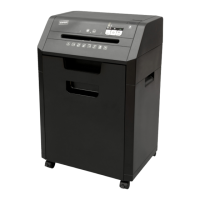
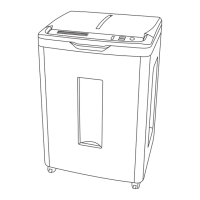
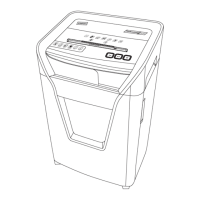
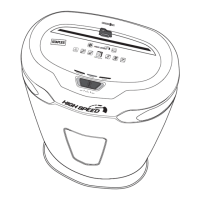
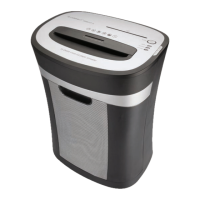
The Staples SPL-NXC18A Commercial Shredder Series is a cross-cut shredder designed for commercial-grade use, offering robust performance and a range of innovative features to enhance efficiency and user experience. This shredder is capable of shredding up to 18 sheets of paper per pass, creating 0.16 x 1.57 inch (4 x 40mm) cross-cut particles, ensuring a high level of security for sensitive documents. It boasts a continuous run-time of up to 17 minutes, making it suitable for extended shredding tasks without frequent cool-down periods.
Function Description:
The primary function of the SPL-NXC18A is to shred paper and other materials into small, unreadable particles. It is designed for commercial environments where a high volume of shredding is required. The shredder features a paper feed throat with a width of 9.06 inches (230mm), accommodating standard letter and legal-sized documents. Its cross-cut mechanism provides a higher level of security compared to strip-cut shredders, making it ideal for disposing of confidential information. The device also incorporates an integrated waste bin with a capacity of 10 gallons (37.85 liters), reducing the frequency of emptying.
Important Technical Specifications:
- Model: SPL-NXC18A
- Cutting Style: Cross-Cut
- Shred Size: 0.16 x 1.57 inches (4 x 40mm)
- Sheet Capacity: 18 sheets
- Shred Speed Max Sheet Capacity: 12 ft/min (3.6 m/min)
- Intake Throat Width: 9.06 inches (230mm)
- Voltage: 120V/60Hz
- Dimensions (L x W x H): 16.54 x 13.19 x 27.05 inches (420 x 335 x 687mm)
- Weight: 46.3 lbs (21 kg)
- Receptacle Volume: 10 gallons (37.85 liters)
- Noise Level (Motor): 64 dB
- Run-time: 17 minutes
Usage Features:
The SPL-NXC18A is equipped with several innovative features designed to optimize its use:
- Vortex™ Cutting System: Ensures optimal performance and efficient shredding.
- VoiceAssist™ Technology: A passive, audio troubleshooting feature with volume control that provides alerts and guidance during operation. This technology helps users understand the status of the shredder and troubleshoot common problems.
- InfoCenter™ LCD Panel: Displays visual flashing alerts, providing clear indications of the shredder's status, such as "AUTO," "Reverse," "Bin Full," "Door Open," "Overload," and "Overheat."
- Zero Jam™: Eliminates paper jams, ensuring smooth and continuous operation.
- T-Door™ Space-Saving Design: Features ergonomically designed doors for easier basket removal in tight spaces, improving convenience for users.
- All-Quiet™ Operation: Designed to operate quietly, minimizing disruption in office environments.
- GoECO™ Button: Activates a power-saving mode, automatically turning off the unit after 30 minutes of idle time to conserve energy.
- Control Panel: Includes buttons for "Reverse," "Forward," and "Stop," as well as an "On/Off VoiceAssist™ Button" and a "GoECO™ On" switch. The LCD panel provides visual feedback for these operations.
- Paper Feed Throat: The design allows for easy insertion of paper, with a maximum capacity of 18 sheets.
- Casters: Equipped with casters for easy mobility, allowing the shredder to be moved conveniently within the workspace.
Maintenance Features:
Proper maintenance is crucial for the longevity and optimal performance of the shredder. The manual provides several safety and maintenance instructions:
- Cleaning: Regular cleaning of the shredder is recommended. Users should never spray aerosol-based products or use flammable chemicals, or materials that come into contact with flammable chemicals (e.g., nail polish remover, gasoline) in the shredder basket. Mild soap and water solution can be used for cleaning.
- Lubrication: Lubricants specifically designed for shredders are acceptable for maintenance.
- Paper Clips and Staples: The shredder is designed to handle paper clips and staples, but it is recommended to remove them to prevent potential damage. The manual explicitly states: "DO NOT SHRED PAPERS WITH PAPER CLIPS ON THEM. Please take out any paper clips from paper before shredding."
- Overload Protection: The shredder has an overload protection feature. If the shredder is continuously fed beyond its capacity, it may overheat and automatically shut off to prevent damage. The InfoCenter™ LCD panel will display an "Overheat" alert.
- Bin Full Indicator: The InfoCenter™ LCD panel will display a "Bin Full" alert when the waste bin needs to be emptied, ensuring efficient waste management.
- Door Open Indicator: If the door is open or ajar, the shredder will not start. The InfoCenter™ LCD panel will display a "Door Open" alert.
- Jam Prevention and Resolution: The Zero Jam™ feature helps prevent jams. In case of a paper jam, the InfoCenter™ LCD panel will display an "Overload" alert, and the shredder will automatically go into reverse to push out the jammed papers. Users can also manually press the "Reverse" button to clear jams.
- Power Cord: Always ensure the power cord is properly connected and not damaged. Avoid placing the power cord where people may walk on it.
- Warranty: The Staples® Brand Shredder comes with a 2-year warranty, covering defects in design, assembly, material, or workmanship from the date of purchase. Product support experts are available from 8 am to 8 pm EST Mon-Fri at 1-866-675-4480 for assistance.

 Need help?
 General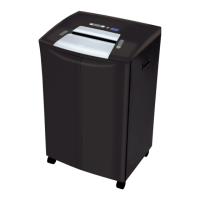

 To Next Page