14
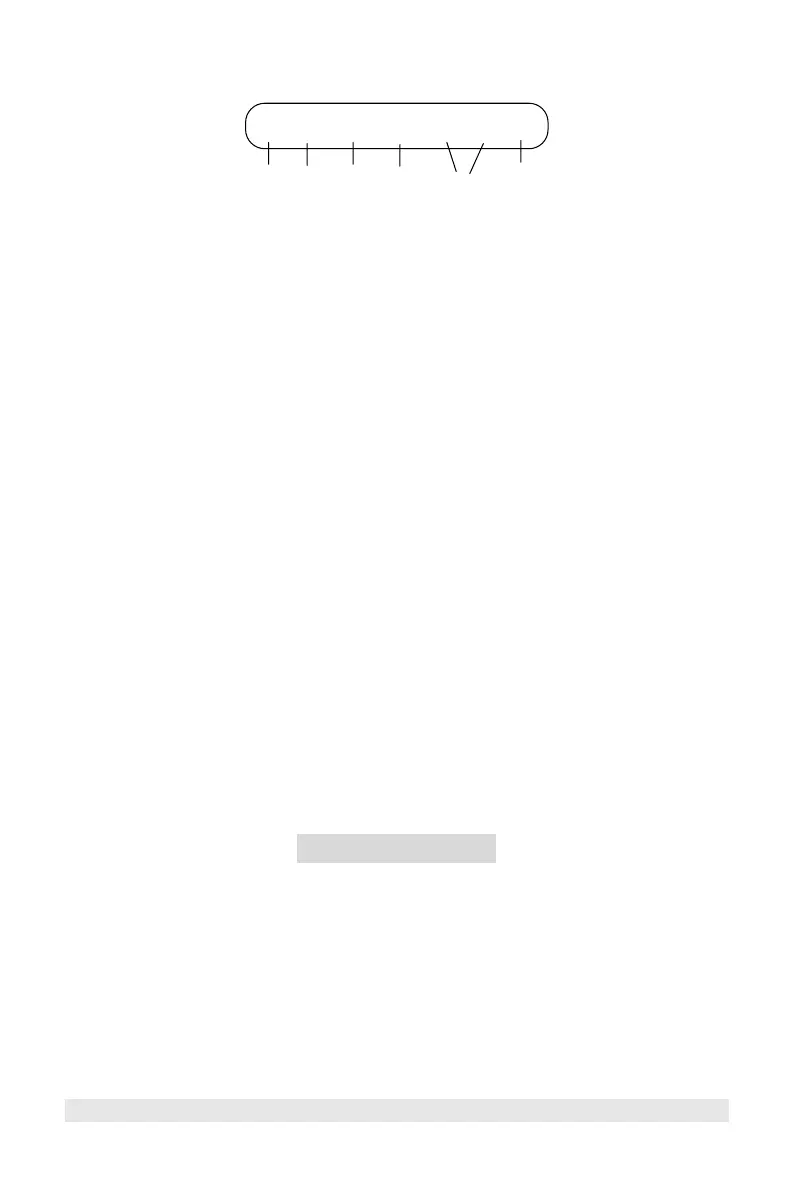
LED Display Indicators
P Х K L 2 3 C
1 2 3 4 5 6
1. Power-On Indicator
A red LED P under POWER lights to indicate power is being supplied to the
detector and the detector is turned on.
2. X/Ku-band Signal Indicator
A yellow LED under X/Ku lights and blinks to indicate the presence of an
X/Ku-band radar signal. The blink rate increases as the radar source gets closer.
A distinct audio alert is also heard.
3. K/Ka-Band Signal Indicator
A green LED under K/Ka lights and blinks to indicate the presence of a K/Ka-
band radar signal. The blink rate increases as the radar source gets closer. A
distinct audio alert is also heard.
4. Laser Signal Indicator
A red LED under L lights and blinks to indicate the presence of a laser signal. A
distinct audio alert is also heard.
5. Signal Strength Indicator
An amber LED 2 or 3 blinks to indicate the strength of a Signal detected.
6. City Mode Indicator
A green LED under C lights to indicate when you selected City Mode by
pressing the CITY button.
2. INSTALLATION
A. Mounting Guidelines
For the best performance, select the proper location for the detector
where it has a direct view of the road.
Remember, the radar antenna and laser sensor are located behind the rear panel
of the unit.
The antenna and sensors should not be obstructed by metal or metallic surfaces
and should be pointed at the horizon for accurate long-range detection.
Choose a location that does not block the driver's vision.
Mount the detector in a level position.



 To Next Page