17
C. Adjusting Volume
To change the detector's volume, turn volume control either away or toward
you.
D. Operating Settings
1. City Operation
The X-band signals for non-traffic radar systems is allocated such as intrusion
alarms, automatic door openers, and microwave traffic signal controllers.
Additionally, older or poorly shielded detectors in other vehicles can sometimes
transmit weak radar signals.
The city mode reduces the detector's sensitivity to weak X-, Ku-, K-, and Ka-
band signals to eliminate responses to most false sources.
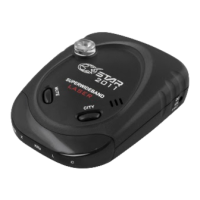
To select the city mode, press CITY button.
The Highway mode when the CITY LED turned off provides maximum
sensitivity for open road driving. To select the highway mode, press CITY button
and the CITY LED will be turn off.
2. Mute Operation
To temporarily silence the detector, press MUTE.
After leaving the area of the transmission source, the detector automatically
returns to normal after 20 seconds.
You can also press MUTE while the audio alert is sounding to silence it.
3. Dim Operation
Press the Dim button repeatedly each time to toggle between the three levels of
brightness mode.
E. Receiving and Identifying Radar and Laser Signals
When your detector identifies radar signals, the following will occur:
1. Distinctive audible alarms will be emitted for X-, Ku-, K-, and Ka-band radar
signals.
The alarm sounds will occur faster and faster as the signal gets stronger(as you
get closer to the source).
When the signal gets very strong, the alarm sounds become continuous tones.
2. The appropriate visual alarm indicator (yellow X/Ku or green K/Ka-bands) will
flash in unison with the audio tones.
When the pulses of laser light from a laser gun are detected by your detector
1. The audible alarm will emit a distinctive sound for laser.
2. The “L” indicators will start to flash.
3. Laser detection will override all radar bands.



 To Next Page