4
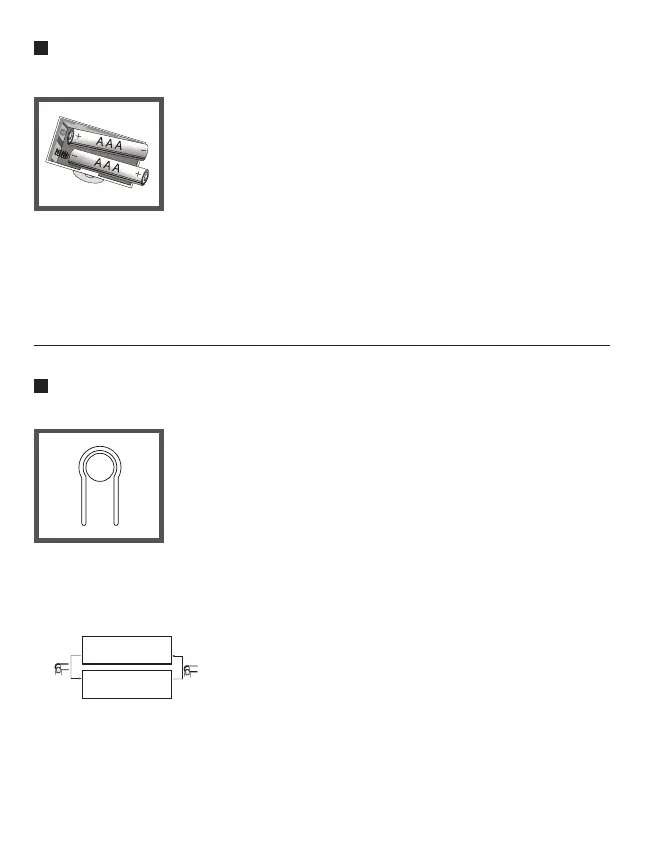
Install / replace batteries
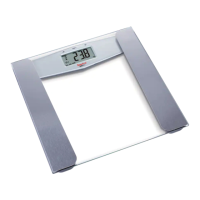
Setting weight unit
Requires 2 AAA batteries (included)
1- Open battery case cover on the back of scale.
2- Take out the used batteries.
3- Install new batteries by putting one side of the battery
then pressing down the other side. Please take note
to the polarity.
• Do not dispose of batteries in fire. Batteries may explode or leak.
• Do not mix old and new batteries.
• Do not mix alkaline, standard (carbon-zinc), or rechargeable batteries.
• Please dispose the batteries according to local municipal regulations.
Press
Press
kg
lb
This scale is available in "kg" or "lb". You can set to
the one you prefer by pressing the unit conversion
button on the back of the scale (picture shown on the
right). Press the unit conversion button when scale
is powered on. LCD shows current weight unit. Press
the button again to convert to another weight unit.
After selecting the preferred unit, the scale will
auto-off after 3 seconds. The selected weight unit
will be activated the next time you turn on the scale.
• When setting "lb" as weight unit, the default
height unit is feet/inch.
• When setting "kg" as weight unit, the default
height unit is cm.


 To Next Page