Daily Use | 9
8 | Basic Use
Daily Use
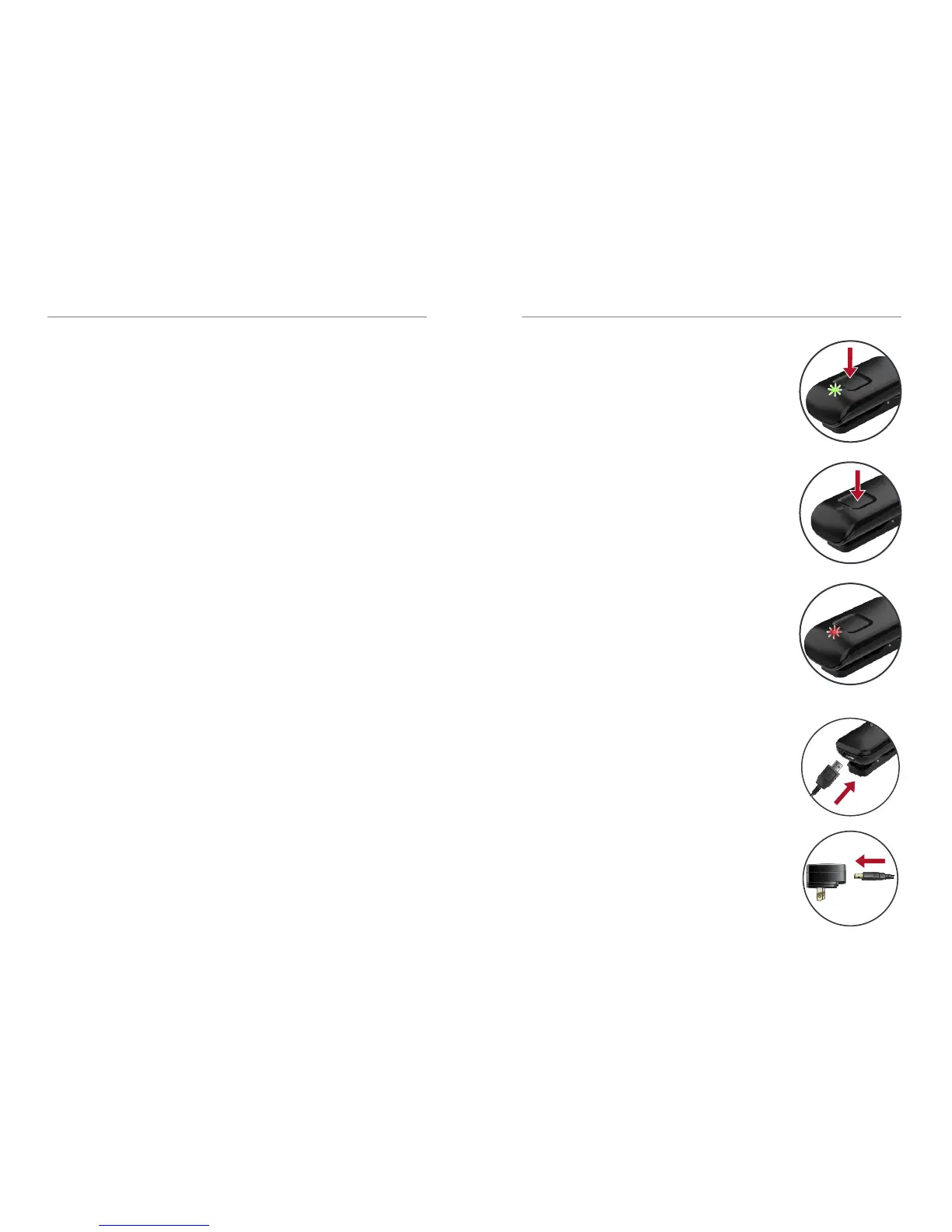
Power On
Press the power button for
2 seconds and release when
the LED illuminates.
Power Off
Press the power button for
2 seconds and release when
the LED turns off.
Battery Low
LED slowly pulses red. Provides
an audible indicator tone to
hearing aids every 5 minutes.
Battery Recharge
Attach the microUSB end of
the charging cable to the
microUSB jack on Starkey
Hearing Technologies Mini
Remote Microphone.
Attach the USB end of the
charging cable to a female
USB jack on the enclosed
power adapter.
5. To stop streaming, do one of the following:
• Turn off the Mini Remote Mic.
• Open the Thrive Hearing Control app and
select Stop Streaming from Accessories screen.
• Refer to Start/Stop Audio Streaming
on page 15 for additional options.



 To Next Page