6.
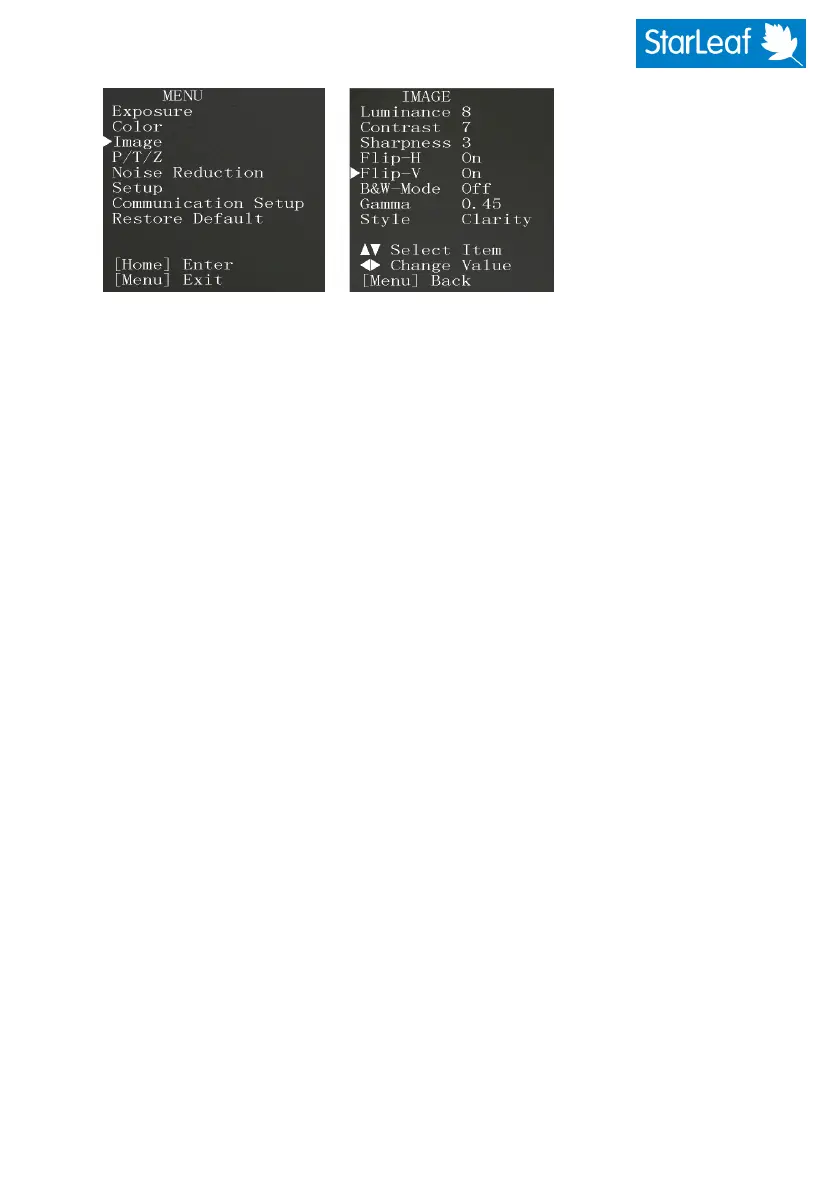
In the lower left of the screen, choose OSD. This activates the on-screen display. You
will see the menuon the screen (rather than on your computer):
7. Using the arrow controls on the web interface to control the OSD menu, choose
Image and for Flip-H and Flip-V choose On.
8.
Press Back untilyou have reached the top-level menu and then Exit OSD.
480-00260-02


 To Previous Page