37
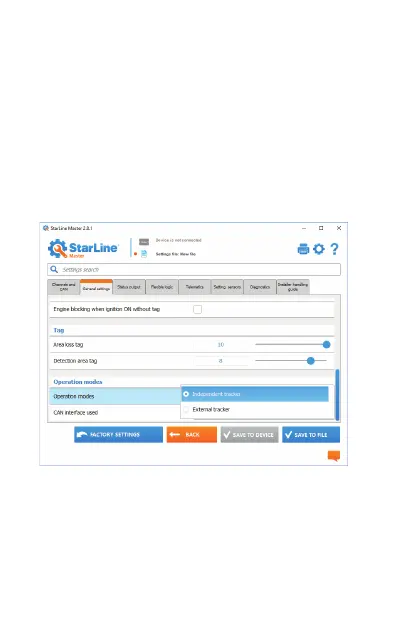
1. Connect the tracker unit to PC via USB cable.
2. Load StarLine Master software.
3. Enter to device settings.
4. Find «General operation modes» section in
«General settings» tab and select the «Smart
tracker» mode.
5. Register all the previously registered to StarLine
M66 devices (tags, smartphones, relay module R6).


 To Next Page