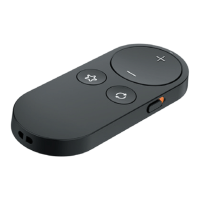
Get to know your Remote Control 2.0
|
5
STEP 2: Pair your Remote with your
hearing aid(s):
1. Place your hearing aids within
6 inches of your Remote.
2. Press and hold the Favorite button
for 5 seconds until the indicator light
starts rapidly blinking.
3. For a set of hearing aids or for a
single hearing aid:
• Successful pairing: Indicator
light becomes solid for 2 seconds.
• Unsuccessful pairing: Indicator
light does not become solid for
2 seconds. Repeat STEP 1 and 2.
4. Check for successful setup by pressing
the Volume up or Volume down
button and confirming the hearing aid
volume adjusts accordingly.


 To Next Page