6
|
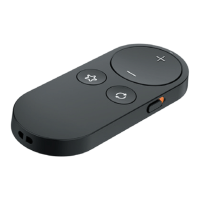
Get to know your Remote Control 2.0
Use your Remote
Indicator light
The indicator light illuminates when a
button press command is sent to the
hearing aid(s).
Volume up and Volume down
Pressing the volume up button will
increase the volume of your hearing aid(s).
Pressing the volume down button will
decrease the volume of your hearing
aid(s).
NOTE: When you are streaming
audio to your hearing aid(s), the
volume buttons control the volume
of the audio stream.


 To Next Page