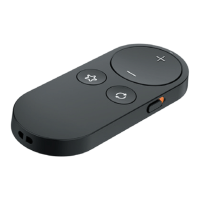
Get to know your Remote Control 2.0
|
7
Program Change
Your hearing care professional may
create multiple programs within your
hearing aid. By pressing this button,
you can access and cycle through the
available programs.
Favorite
Your hearing care professional can
set a Favorite configuration for you.
By pressing this button, you can access
that specific configuration.
• If no Favorite configuration has been
set, pressing this button will have no
effect on your hearing aids.


 To Next Page