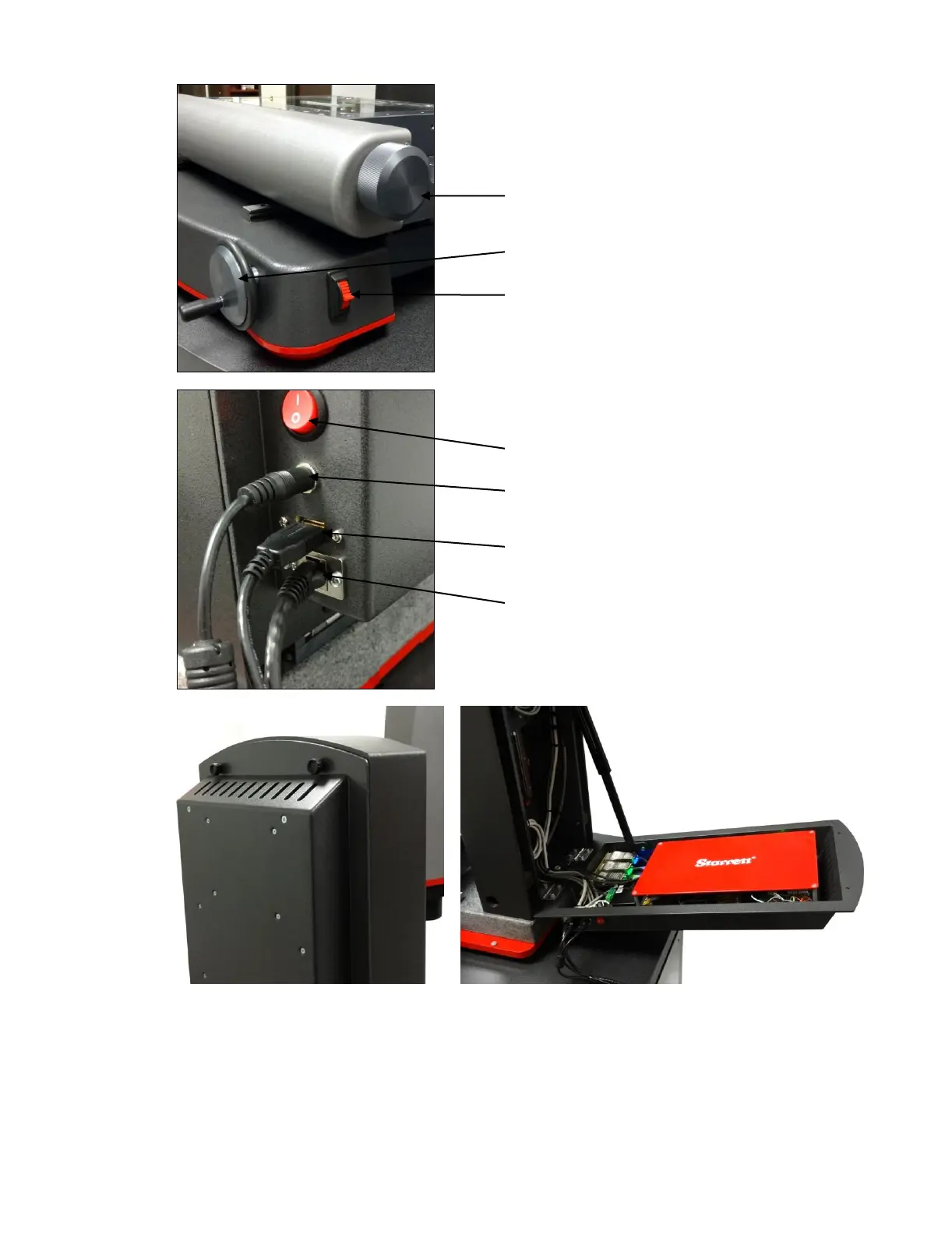
Operator Controls on Right Side
Knob for X-axis motion. Attached to same shaft as
hand wheel on left side of machine.
Hand wheel with crank for Y-axis motion
Proportional speed control switch for up-down
Z-axis travel
On-Off Switch and Electrical Connections
On-Off switch. Used to turn machine off when not in use.
24 Vdc power input from ‘brick” type power supply on
floor.
USB connection to all-in-one PC for encoder signals.
USB or Ethernet connection to all-in-one PC for camera
signal . The choice of USB or Ethernet depends on the
type of camera.
Electronics Compartment in Back
The back of the metrology unit is hinged and holds a compartment with all electronics other than the all-in-one
PC. Removing two knurled hand-screws provides access to this compartment. This is for service access only.
There are no user adjustments or controls behind the hinged back.



 To Next Page