PKG08761-UMSR160 15
ENGLISH
MENU
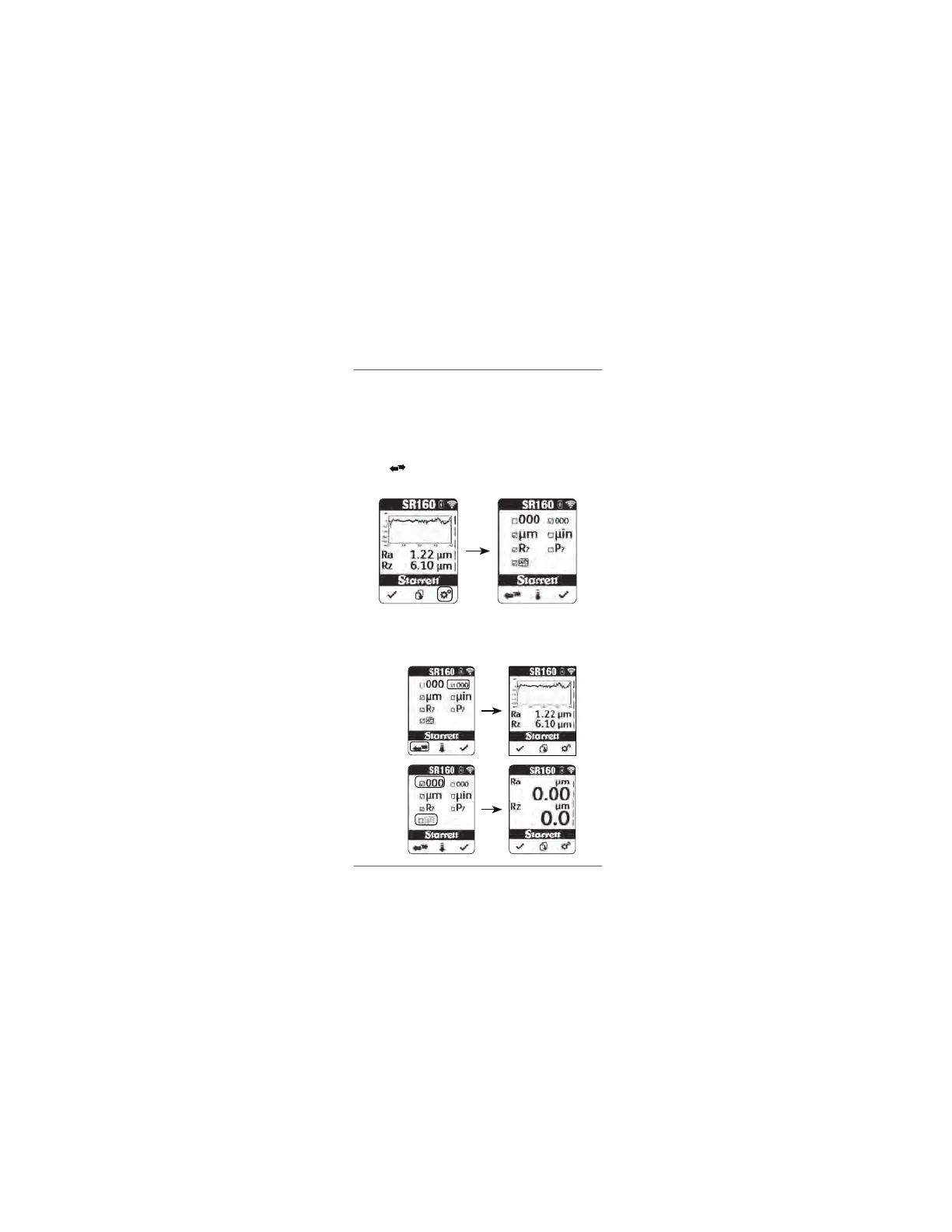
FONT SIZE (LARGE/SMALL)
Press the settings button to enter the settings menu.
Select the size of font to use in displaying the measurement results.
There are two size options available to choose from – Large and Small.
Press the to toggle between the 2 options. Press the check button
to accept the setting and exit the settings menu.
NOTE
The large style font cannot be used together with the profile graph option.
When the large font is selected,
the profile graph option is automatically
set to 'no graph' (greyed out).
SMALL FONT
LARGE FONT
www.GlobalTestSupply.com
Find Quality Products Online at: sales@GlobalTestSupply.com


 To Next Page