PKG08761-UMSR160 21
ENGLISH
FACTORY RESET
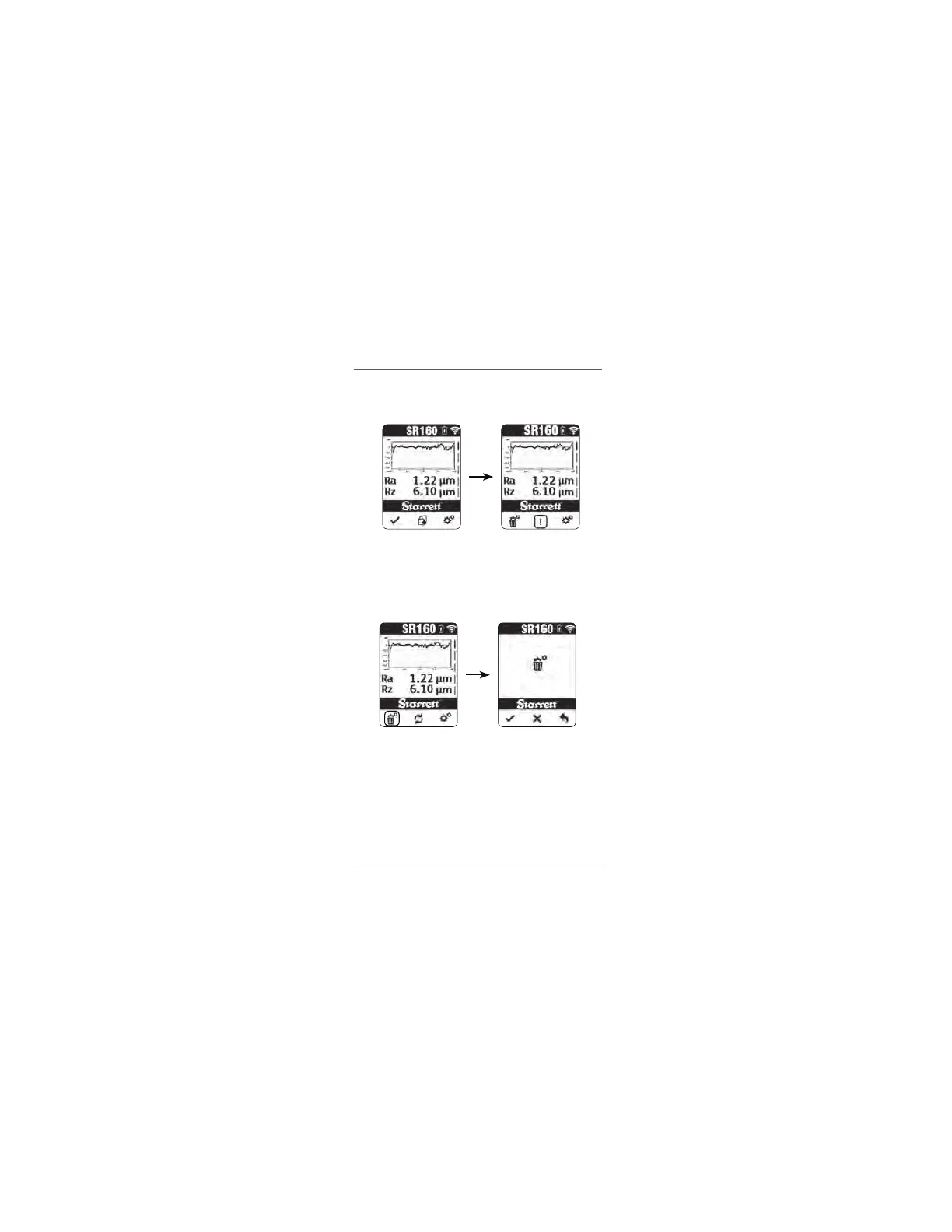
To reset the SR160 to factory settings, hold the settings button for about
3 seconds.
Press the delete settings button.
In the reset screen, press the check button to do a factory reset or the
cross(x) button to exit and return to the main results screen.
Press the back arrow at any time to exit and return to the results screen.
In the factory reset menu, the battery percentages of both the display unit
and the traverse unit will be displayed along with their Bluetooth address.
The factory reset function works only when the SR160 is paired (either
via Bluetooth or in connected mode).
www.GlobalTestSupply.com
Find Quality Products Online at: sales@GlobalTestSupply.com


 To Next Page