Instruction Manual
4
Verifying Installation
Windows XP/Server 2003/Vista/7/8
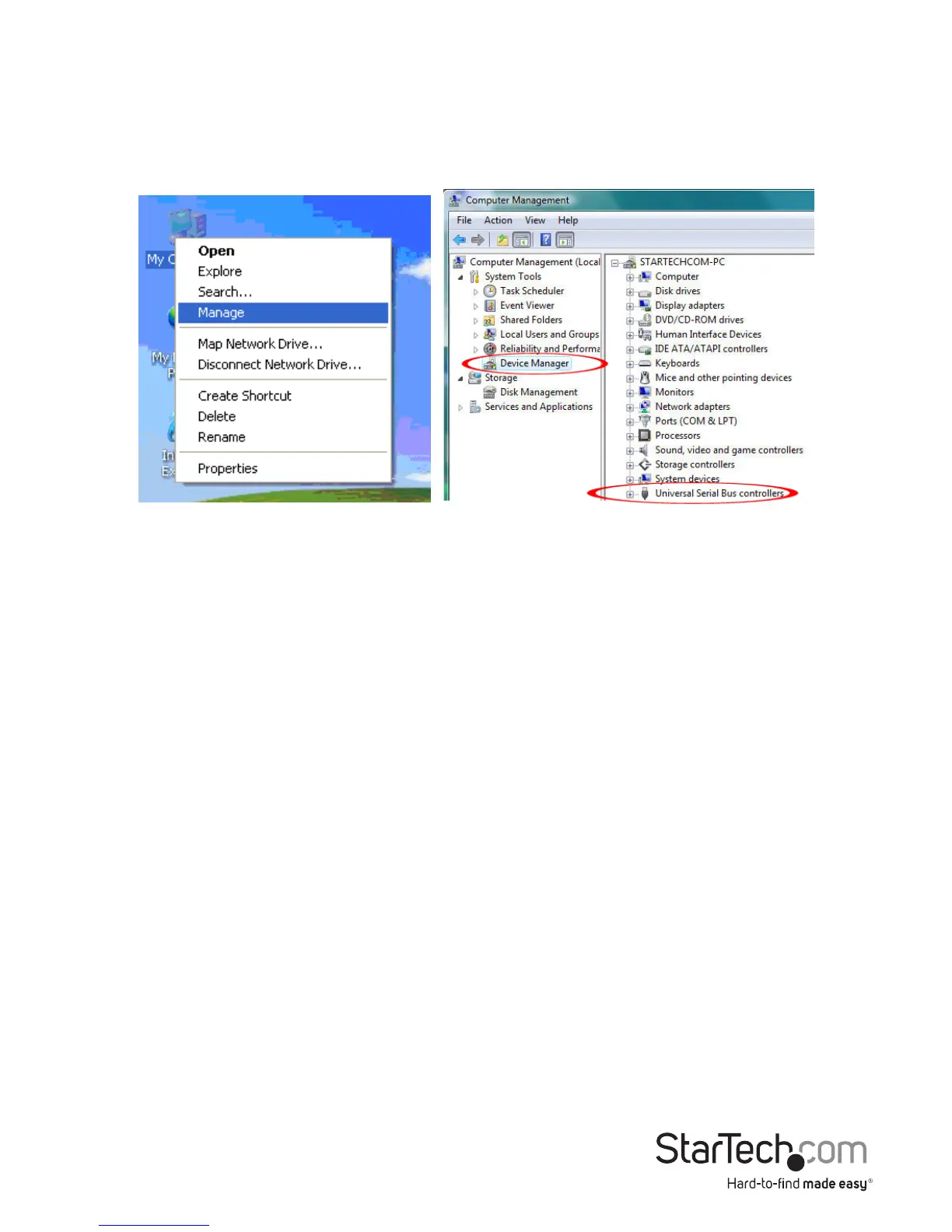
From the main desktop, right-click on “My Computer” (“Computer” in Vista/7), then
select Manage. In the new Computer Management window, select Device Manager
from the left window panel.
In the Device Manager, under the Universal Serial Bus Controllers category, you should
see the new entries for the USB 3.0 controller card.


 To Next Page