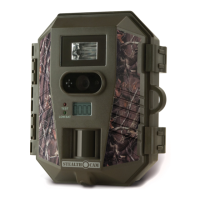
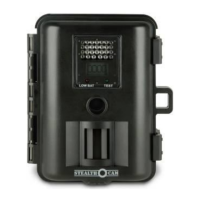
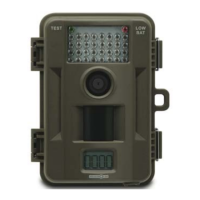
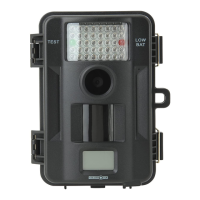
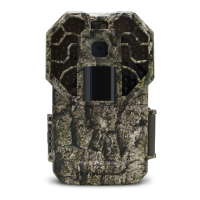
The Stealth Cam STC-G45NGX is a digital scouting camera designed for outdoor surveillance and wildlife monitoring. It features TRIAD Technology, offering three distinct modes of operation: PIR Photo, PIR Video, and Time Lapse, allowing users to select the most suitable mode for their specific needs.
Function Description:
The primary function of the STC-G45NGX is to capture high-resolution images and videos of wildlife or other subjects in its detection range. It is equipped with a Passive Infrared (PIR) sensor that detects motion, triggering the camera to record. The camera can be programmed to operate 24/7 or within scheduled hours, providing flexibility for various monitoring scenarios. It also includes a Time Lapse function for capturing images at predetermined intervals over extended periods.
Important Technical Specifications:
- Image Resolution: The camera supports multiple image resolutions, including 22MP, 16MP, 8MP, and 4MP, allowing users to balance image quality with memory card storage.
- Video Resolution: In PIR Video mode, the camera records video clips with a designated resolution of 720 x 480 or 1280 x 720.
- PIR Delay: The PIR delay can be set from 00min 05sec to 59min 59sec, determining the time the camera waits before re-initializing its PIR sensor for the next activation.
- PIR Range: The PIR range is adjustable, allowing users to control the sensitivity distance for motion detection.
- Burst Mode: The camera can capture 1 to 9 photos per trigger activation in burst mode.
- IR Brightness Control: Full IR brightness control allows adjustment of the IR LEDs for optimal illumination in low-light conditions.
- Smart IR: The Smart IR feature enables the camera to take color images during the day and black and white images during dusk and dawn lighting conditions. When Smart IR is ON, Photo Burst is limited to (1) image per triggering.
- Audio Recording: The camera supports video with audio recording.
- Battery: The camera operates on 1.5V AA batteries. It is recommended to use new Alkaline or Lithium batteries.
- Memory Card: The camera uses an SD memory card for storage. Image and video capacity vary based on resolution and SD card storage size.
- Operating Environment: The camera is designed to operate in temperatures ranging from 14 to 104 degrees Fahrenheit (-10 to 40 degrees Celsius) and relative humidity of 20-85% (non-condensing).
- Connectivity: The camera can be connected to a computer via a USB cable (not included) for viewing images. It is compatible with Windows Vista operating system and above, and Mac OS 10.6 and above.
Usage Features:
- Camera Programming: The camera offers extensive programming options accessible through a menu system. Users can adjust settings such as photo resolution, video resolution, PIR delay, burst mode, and operating hours.
- Quick Set Modes: Three Quick Set modes (Q1, Q2, Q3) provide pre-configured settings for common scenarios, simplifying setup.
- Q1 (PHOTO...8.0MP...30 S DELAY...3 PHOTO BURST): Captures 8.0MP photos with a 30-second timeout delay and a 3-photo burst.
- Q2 (PHOTO BURST – 1 PHOTO): Captures a single 8.0MP photo with a 30-second timeout delay.
- Q3 (720P HD Video with audio): Records 720P HD video with audio, with a 30-second timeout delay and a 10-second video length.
- Custom Settings: The "CUSTOM" mode allows for detailed customization of various parameters, including:
- SETUP DATE: Sets the current date (MM/DD/YY).
- SETUP TIME: Sets the current time (HH:MM AM/PM).
- TIME ZONE: Selects the appropriate time zone (Eastern, Central, Mountain, Pacific, Alaskan, Hawaiian).
- TIME FORMAT: Chooses between 12-hour (AM/PM) or 24-hour (military) format.
- MODE: Selects between PIR PHOTO, PIR VIDEO, or TIME LAPSE.
- OPERATING HOURS: Defines the camera's active working hours (24/7 or SCHEDULED with START TIME and END TIME).
- PIR PHOTO (default): Captures a designated amount of pictures with a designated time out when the camera senses activity.
- PHOTO RES: Sets the Megapixel resolution of each image taken by the camera.
- PIR DELAY: Determines the length of time that the camera will wait before it reinitializes its PIR sensor for the next activation.
- PIR RANGE: Allows you to control the sensitivity distance the PIR will be activated.
- PHOTO BURST: Determines the number of photos the camera will take during its activation.
- IR BRIGHTNESS CONTROL: Adjusts the brightness of the IR LEDs.
- SMART IR: Enables smart IR functionality.
- PIR VIDEO: Records a video clip with a designated resolution and time out when the camera senses activity.
- VIDEO RES: Sets the video resolution.
- VIDEO LENGTH: Sets the length of time, in seconds, of the video recording.
- VIDEO AUDIO: Enables or disables audio recording with video.
- TIME LAPSE (TL): Captures a designated amount of pictures with a designated time out between the designated hours of operation.
- TL START: Sets the camera start time for when to start the time-lapse photography.
- TL STOP: Sets the camera stop time for when to end the time-lapse photography.
- REDUCE BLUR – ADVANCED: Reduces blur in images while retaining night range image capability.
- CAMERA NAME – STEALTH CAM: Allows users to identify the camera with a custom name.
- TEMPERATURE – FAHRENHEIT: Displays temperature in Fahrenheit or Celsius.
- INFO BAR – ON: Displays information on the bottom of images and video.
- DVR MODE – OFF: Allows for loop recordings.
- LATITUDE – 000.00000N / LONGITUDE – 000.00000E: Used for GEO-TAG of the camera.
- FACTORY RESET – NO: Resets the camera to its factory defaults.
- SECURITY KEY – 0000: Programs a four-character alphanumeric code to keep unauthorized people from accessing camera settings.
- FORMAT CARD – NO: Formats the SD memory card.
- LANGUAGE – ENGLISH: Selects the menu language.
- Test Mode: The test mode allows users to check the PIR sensor coverage area. A green light will blink when the camera detects motion.
- Firmware Updates: The camera's firmware version is displayed in test mode. Users are encouraged to check the Stealth Cam website for any available firmware updates.
Maintenance Features:
- Battery Removal & Installation: The camera uses 1.5V AA batteries. It is crucial to insert new Alkaline or Lithium batteries with the correct orientation to avoid damage.
- Memory Card Installation & Formatting: An SD memory card must be inserted for storage. It is always best to format SD cards from the actual device using the camera's menu options to ensure proper function.
- Cleaning: Use a soft lens cloth for cleaning the lens. Avoid touching the lens with fingers. Remove dirt or stains with a soft cloth dampened with water or neutral detergent. Keep the camera in a dry and cool dust-free environment.
- Storage: When not in use for an extended period, remove batteries to prevent damage.
- Disassembly: Do not disassemble the camera. Accessing internal components for unauthorized service could cause serious damage and void the warranty.
- Water/Liquid Exposure: Never attempt to immerse the unit in water or any other liquid. This will damage the unit and void the warranty.
- FCC Compliance: The device complies with FCC rules, and users are advised to reorient or relocate the receiving antenna, increase separation between equipment and receiver, connect equipment to a different circuit, or consult a dealer/radio/TV technician for help if interference occurs. Changes or modifications not expressly approved by the party responsible for compliance could void the user's authority to operate the device.
- Limited Warranty: The camera is covered by a 365-day limited warranty on parts and labor from the date of original purchase. The warranty covers defects in workmanship and materials but does not apply to units damaged or abused intentionally or unintentionally. Tampering with or altering the unit will void the warranty.

 Need help?
 General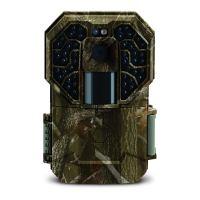



 To Next Page