TO LEFT SPEAKER
HEADSET AUX DC
1
3
2
PCPC
5s
TO LEFT SPEAKER
PC DCAUXAUXHEADSETHEADSET
TO LEFT SPEAKER
HEADSET PC DCAUXAUX
7
MAIN SETUP
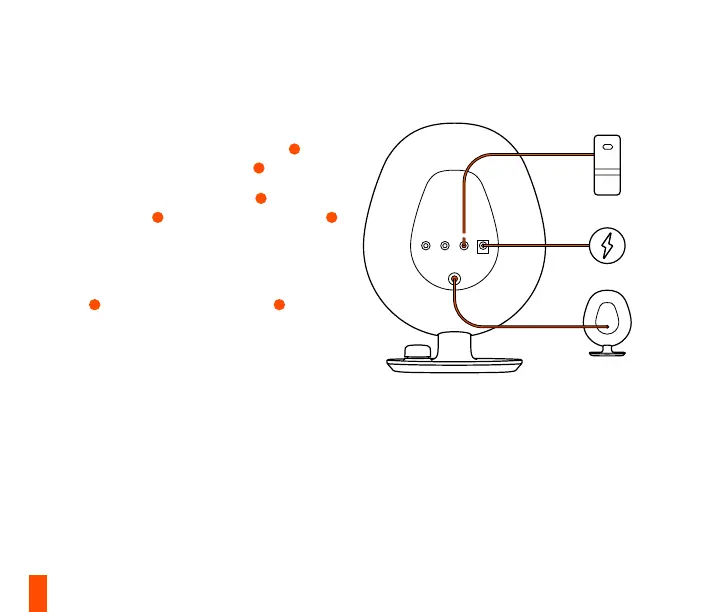
1 Plug the Right Speaker’s attached 3.5 mm
cable (labeled “TO LEFT SPEAKER”)
7
into
the Left Speaker’s Audio Input
8
.
2 Plug the supplied 3.5 mm cable
12
into the PC
Audio input
5
on your Arena 3 right speaker
1
and then into your audio device’s audio stereo
output.
3 Attach the Regional Plug to the Power Adapter
13
and plug it into the Power Input
6
. Plug the
Wall Adapter into an appropriate power source.
More detailed product information at steelseries.com/setup/arena-3


 To Next Page