9 10
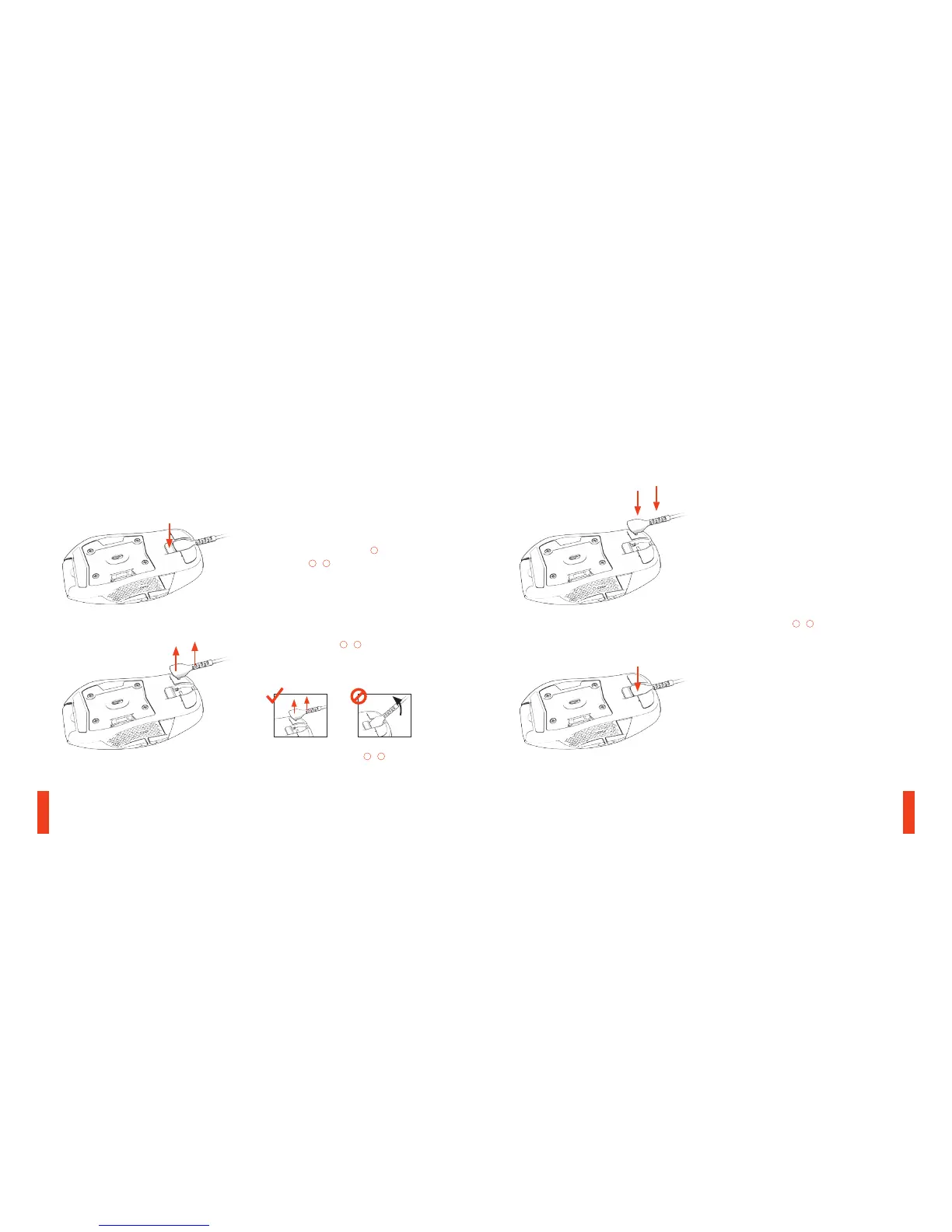
01 Press cable release button
06
to release
the cable
08
/
09
.
find help at support.steelseries.com
SWAPPING / ATTACHING CABLES
02 Remove the cable
08
/
09
by lifting the
frontof the head as well as the stress relief.
Moving the cable away from the mouse.
Do not remove the cable
08
/
09
at an angle,
as it would cause undue stress.
03 Attach the cable
08
/
09
by evenly pushing
it into place.
REMOVING CABLE



 To Next Page