8
AUDIO OUTPUT SETTINGS
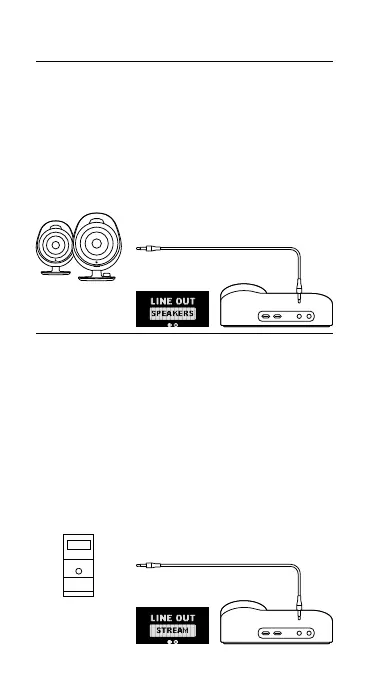
SPEAKERS
Play game and chat audio through a pair of external
speakers.
1 Connect a 3.5 mm cable (not included) from the
GameDAC Line Out Jack (6) to your speakers.
2 In the OLED menu set the Line Out option to ‘Speakers’.
STREAM
Mix your Main, Aux, and Mic audio together to send to a
PC for streaming.
1 Connect a 3.5 mm cable (not included) from the
GameDAC Line Out Jack (6) to your stream PC’s
soundcard input.
2 In the OLED menu set the Line Out option to ‘Stream’.
3 Adjust your custom mix via the Stream Mixer on the
OLED screen.
LINE OUT
LINE OUT



 To Next Page