BATTERY SAFETY PRECAUTIONS
Follow the battery manufacturer‟s safety, usage and disposal instructions.
Only use batteries of the same type and size.
Insert the batteries observing the polarity (+/-). Failure to properly align the battery polarity can
cause personal injury and/or property damage.
Do not mix battery types (e.g. Alkaline, Zinc/Carbon, rechargeable batteries) or exhausted and new
batteries.
To avoid fire and explosion do not recharge normal batteries.
Keep batteries away from children and pets.
We recommend the use of Alkaline batteries for a longer lifetime of the batteries.
GENERAL OPERATING INSTRUCTIONS
SWITCHING ON/OFF
Switch the radio on by turning the Volume Control (1) in a clockwise direction, until you overcome the
point of resistance.
Switch the radio off by turning the volume control anti-clockwise, until you overcome the point of
resistance.
VOLUME CONTROL
Increase or decrease the volume by rotating the volume control Volume to the left or right.
RADIO OPERATION
Select the desired frequency band by pressing the FM, MW & LW buttons.
ADVICE FOR BETTER RECEPTION
FM : Fully extend the telescopic antenna and turn it for better reception.
MW & LW : The device has a built-in ferrite antenna. Re-position the radio if reception is poor.
FREQUENCY ADJUSTMENT
Tune into the desired station by rotating the front Dial frequency scale (8).
Rotating in a clockwise direction increases, and rotating anti-clockwise decreases the frequency.
The current adjusted frequency of the selected Band can be read on the dial scale.
TONE CONTROL
Adjust the tone by rotating the Tone control knob (3). By rotating to the left the Bass sound is intensified,
rotating to the right intensifies the Treble.
AUX IN OPERATION
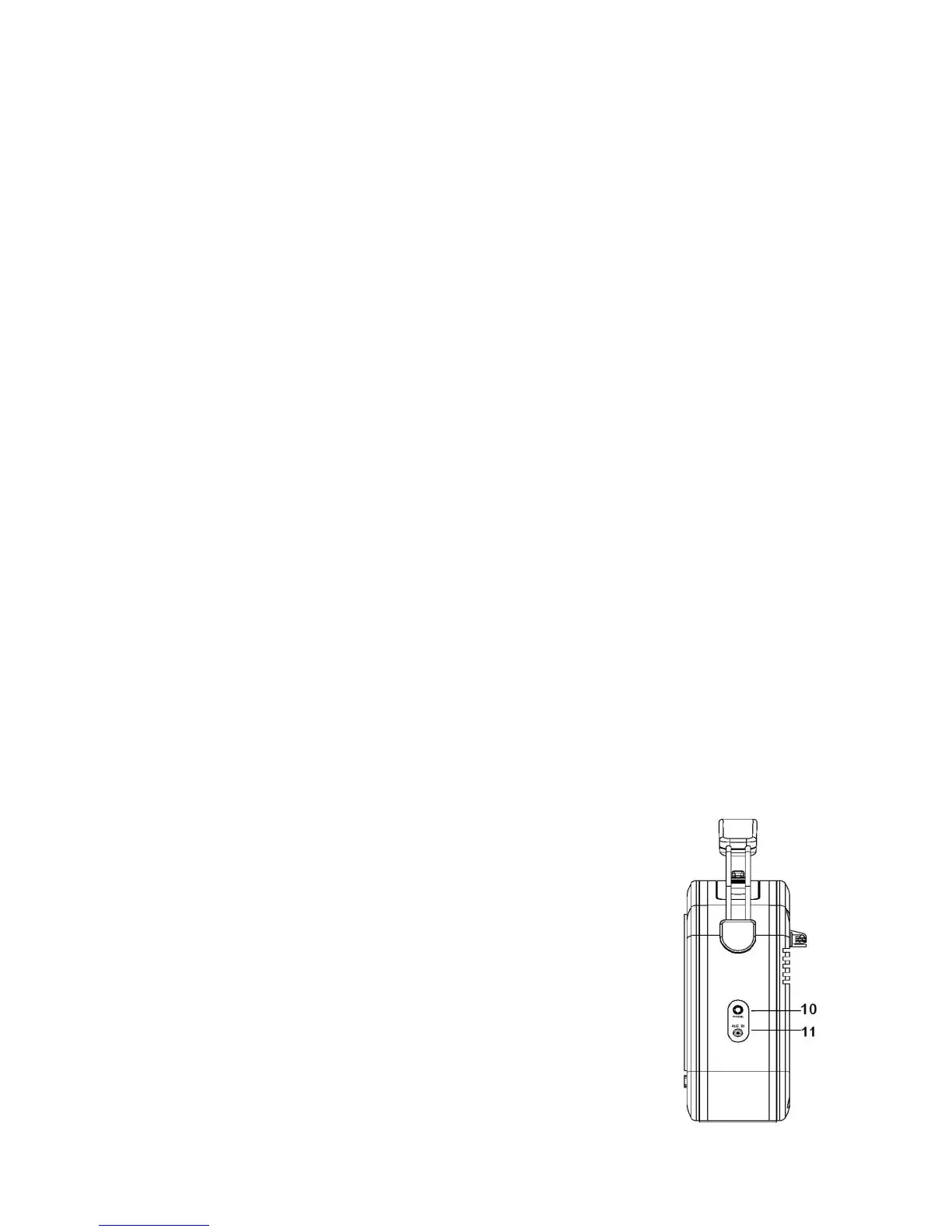
Using the Auxiliary Input socket (11) allows you to connect additional
external audio components and listen to them through your radio. Any
component with an audio output, such as a DAB Module, CD or MP3
Player, etc. can be connected by using the correct cable with a 3.5mm
dia. jack plug.
1. Turn the unit on by turning the ON/OFF/VOLUME CONTROL from
the OFF position.
2. Plug the Auxiliary cable that came with your other audio player into
the AUX-IN JACK (11) on the side of the radio.
3. Adjust the volume for the desired listening level.
4. Plug the other end of the Auxiliary cable into the Output Jack or
3.5mm dia. Headphone Jack on your chosen external Audio Player.
5. Switch the other Audio Player on and adjust its volume.
Note: See the Owner‟s Manual of the connected Audio unit for its correct operation.


 To Next Page