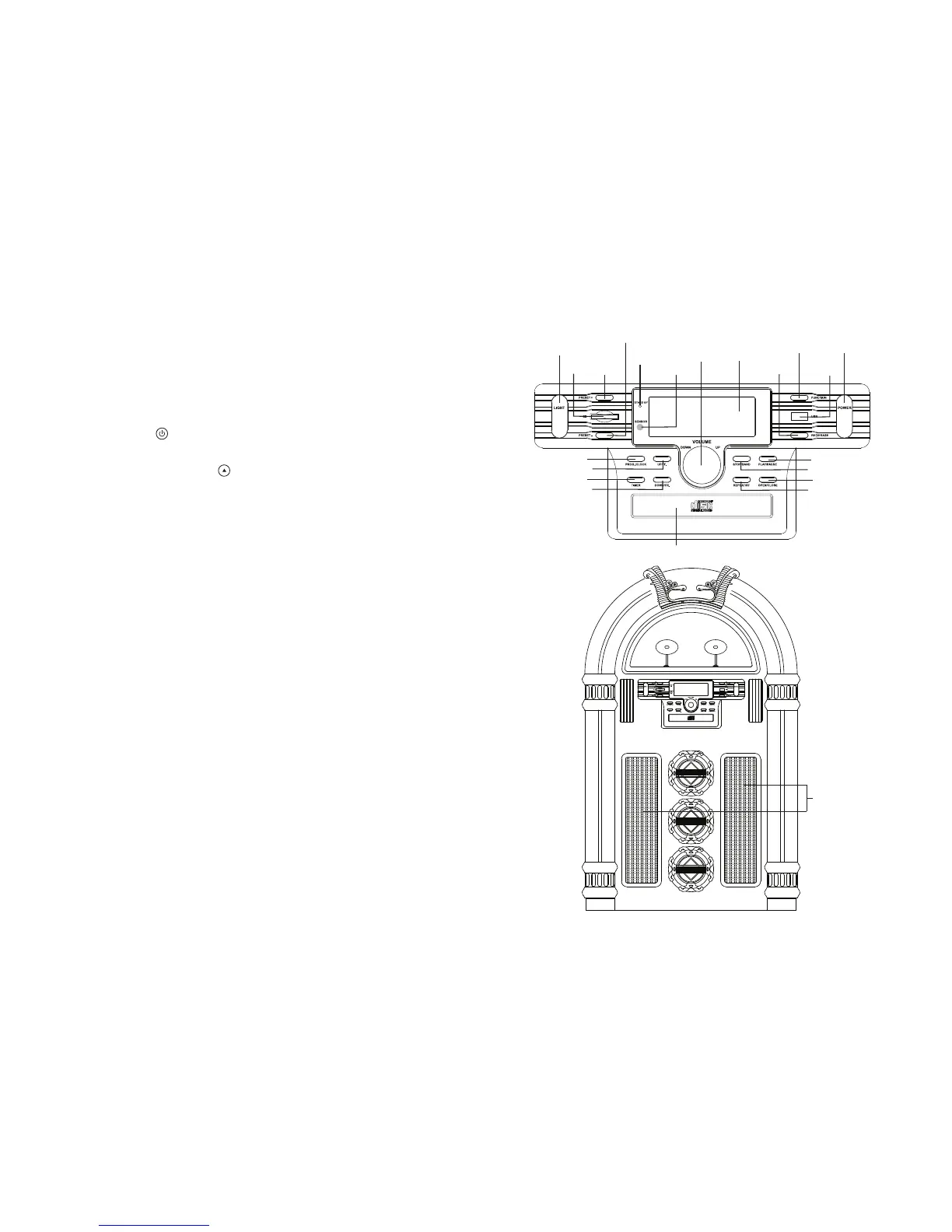
OPTIONAL EXTERNAL SPEAKERS
1. Optional external speakers (not supplied) can be connected to this unit.
2. The speaker jacks for external speakers are located on the back of the unit.
Along with the speaker jacks is a switch labelled Int./Ext..
When using external speakers, this switch must be switched to the EXT. position. Doing this turns the internal speakers in the unit off and redirects
the power to the external speakers.
3. If you decide not to use the external speakers, ensure the switch is switched to INT..
LED LIGHTING
The 7-colour changing LED lights in the front tubes are controlled by the LIGHTING SWITCH (RELEASE/HOLD) on the rear of the unit. The three front
round LED lights have a Sound-to-Light function, flashing in sync with the rhythm of the music.
TROUBLESHOOTING
T
here is no power
1. Make sure the unit is plugged in correctly.
2. Look at the STAND BY INDICATOR and check if the light is Red.
3. If the Red light is on, press the POWER /
switch to turn the unit on.
There is No Sound
1. Make sure the Mute function is turned off.
2.
Check that the Volume is turned up by pressing VOLUME UP / on the Remote.
Note: The Volume range on some units starts at level 15 and ends at level 40.
3. Make sure the INT./EXT. Switch on the back of the unit is switched to INT. (unless you are using external speakers, in which case it should be on
EXT. )
4. Check to make sure the AC Power is turned on.
CD does Not Play
1. Check to make sure the CD is inserted correctly (label side facing up).
2. Check to see that the surface of the CD is clean.
3. Make sure the Function Switch is set to CD Mode.
USB - There is No Music playing when PLAY/PAUSE (USB) is pressed
1. Make sure the MP3 device/Flash Drive has stored music files.
2. The unit will only play Flash Drives from 512MB up to 4GB.
3. Reset the USB by switching the unit Off or switching to another Mode.
4. Check if the file(s) is/are WMA file(s). The unit does not play WMA format, only MP3 format.
Remote is Not Working
1. Replace the battery (1 x 'CR2025' 3-volt lithium battery is required, spare not supplied).
2. Be sure to point the Remote handset towards the remote sensor when operating.
3. Remove obstacles in the path of the remote and the unit so the remote signal has a straight path to it.
Trademarks MPEG Layer-3 audio coding technology licensed from Fraunhofer IIS and Thomson


 To Next Page