PRODUCT BRIEF INTRODUCTION
[ 13 ]
PRODUCT BRIEF INTRODUCTION
[ 14 ]
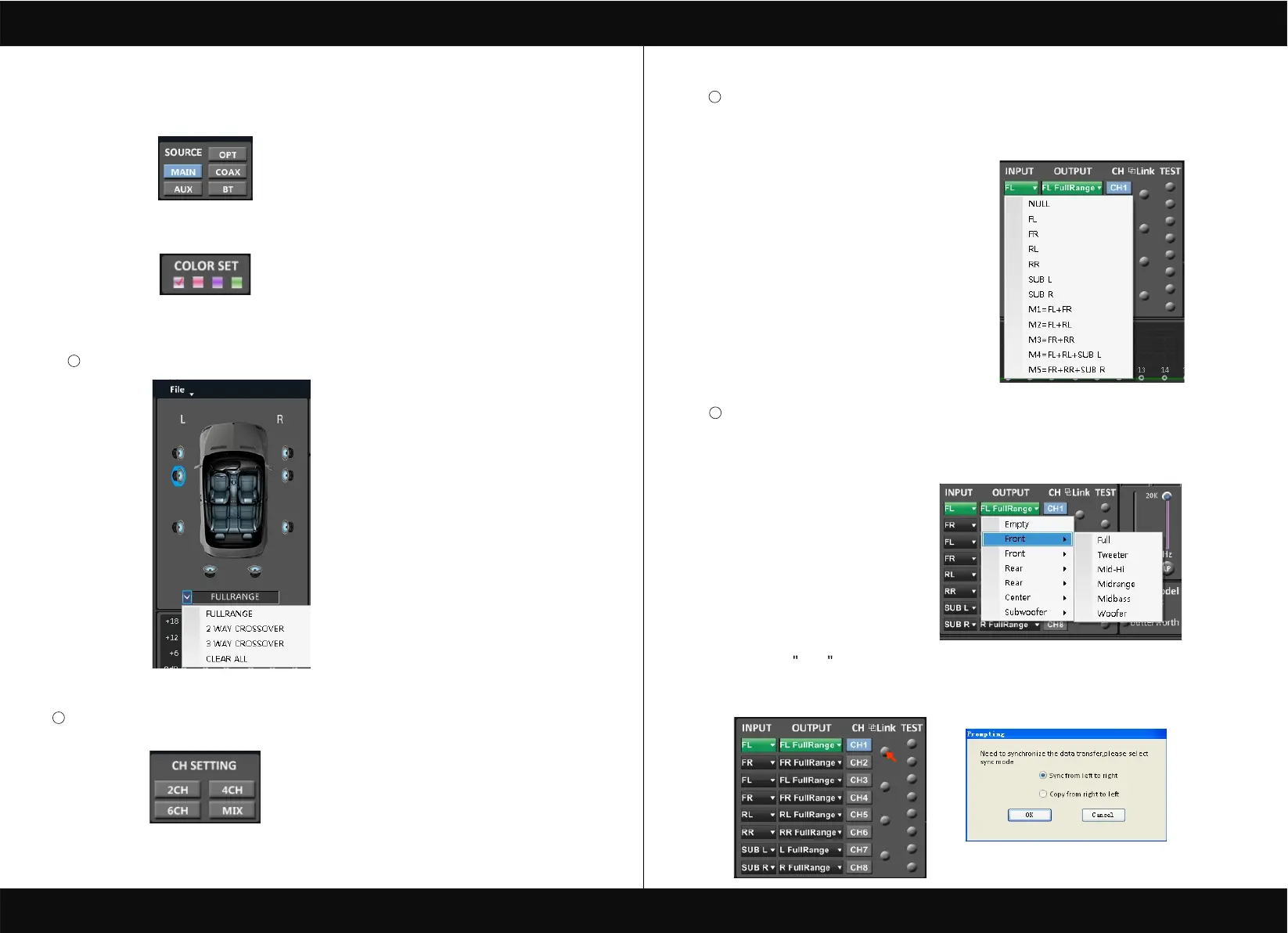
1. INPUT MODE.
To select different input devices.
M1=FL+FR. M2=FL+FL.
M3=FR+FR.
M4=FL+RL+SUBL. M4=FR+RR+SUBR.
2. CHANNAL SETING.
OPTIONAL FULLRANGE. 2 WAY CROSSOVER. 3 WAY CROSSOVER. CLEAR ALL.
CH mode(click on the default in put state).
optional (2CH 4CH 6CH MIX).
1
2
3
Input channel:FL. FR. FL. FR. RL. RR. SUB L. SUB R.
4
Output channel:FL FullRange.FR FullRange.RL FullRange.RR FullRange.L FullRange
When you click the drop-down button, you can choose the stste of the channel input.
There is : FR. FL. RR. RL. SUB R. SUBL.M1=FL+FR.M2=FL+RL.M3=FR+RR.
M4=FL+RL+SUBL.M5=FR+RR+FUBR.
When you click the drop-down button, you can choose the stste of the channel input.
There is : Front.Rear.Center.Subwoofer and Full.Tweeter.Mid-Hi.Midrange.Midbass Woofer
R FullRange
Options on the Link are for combine setting for Left CH and Right CH .
Options on the Left CH/right CH allow you tone each selected channel respectively.
To select different colour devices.


 To Next Page