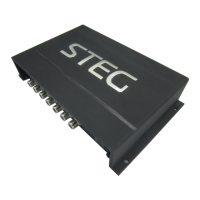
The STEG MDSP10 is a sophisticated digital signal processor (DSP) designed to optimize the acoustic performance of car audio systems. It features a 32-bit DSP processor and 24-bit AD and DA converters, ensuring high-fidelity audio processing. This device is capable of connecting to any factory system, even those with integrated audio processors, thanks to its de-equalization function, which allows it to send back a linear signal.
Function Description:
The MDSP10 offers versatile input and output options. It supports selectable high and low-level inputs, as well as digital inputs, feeding into 8 completely variable output channels. Each output channel is equipped with a 31-band equalizer, allowing for precise frequency adjustments. Additionally, it includes a 66-frequency electronic crossover with BUTTERWORTH or LINKWITZ filters, offering slopes from 6 to 24dB. A digital time delay line is also integrated, providing further control over sound staging. Users can interact with the DSP through a remote control device called DRC, which allows for convenient adjustments.
Important Technical Specifications:
Power Supply:
- Voltage: 9-16VDC
- Idling current: 1.5A
Signal Stage:
- Bandwidth @-3 dB: 10-20kHz
- S/N ratio Full Power A-: >100 dB
- High-level input range: 3V-15V
- THD+N VS Power 1%: (CH1 CH2 CH3 CH4 CH5 CH6 CH7 CH8) 8X50W ATTS
- Line Output: 10-channel RCA audio
- High Level (Speaker): 1, 2, 3, 4, 5, 6
Connection:
- From/To Personal Computer: 1 x USB/B (1.1/2.0) 5M
Crossover N.5 (one each output channel):
- Filter Type: Full/High/Low Pass/Band Pass
- Slope Setting: 6/12/18/24/30/42/48 dB
- Crossover frequency: 68 steps @ 20-20kHz
- Phase control independent setting for each channel: 0-180°
Usage Features:
The MDSP10 is controlled via a graphical user interface (GUI) on a PC running Windows XP or later, with a minimum processor speed of 1.5GHz, 1GB RAM, and a graphics card with a minimum resolution of 1024x600 pixels. The software allows users to connect, modify settings, save configurations, and manage passwords.
GUI Operation:
- Connecting to the DSP: Double-clicking the STEG icon launches the GUI. Users need to enter a password to connect and access the settings.
- Input Mix: The GUI provides a visual representation of the input and output channels, allowing users to mix signals from various sources.
- Input EQ: Advanced settings for input equalization are available, including options to connect, change language, open/save settings, and set delay startup/shutdown times.
- Crossover X-TPE: Users can select different crossover types (OFF, HP, BP, LP) for each channel.
- Crossover Frequency: Adjustments for crossover frequencies are available, with a visual representation of the frequency response.
- Gain Control: A gain control range of 0-40dB is optional for gain control of every channel.
- Delay: Auto-configuration (based on 1.5 setting) and manual configuration with specific channel selections are available.
- Input Mode: Users can select different input devices, such as DSP1, DSP2, COAX, OPTICAL, and BT.
- Channel Setting: Options for 2CH, 4CH, and 6CH modes are provided.
- LP/Slope and HP/Slope: Users can set slopes for low-pass and high-pass filters, with options like 6dB/oct, 12dB/oct, 18dB/oct, 24dB/oct, 30dB/oct, 36dB/oct, 42dB/oct, and 48dB/oct.
- Filter Model: Different filter types, such as Linkwitz Bessel Butterworth, can be selected.
- Read/Write Presets: The system allows users to load and save presets (POS1-POS8) to and from the device.
- X-OVER and EQ Charts: Red lines and slopes change according to HP/LP crossover and EQ modifications. EQ frequency points can be moved left or right, with 20Hz-20KHz as the regulation range.
- EQ Setting: EQ values can be set from 1-12.
Remote Control (DRC) Features:
The DRC provides convenient access to key functions:
- Main Volume: Pressing the button for a short time mutes the system. Pressing it longer (for 2 seconds) enters the menu mode.
- Input Mode: In menu mode, the "MODE" or "INPUT" flashing indicates the active mode, which can be changed.
- Main Volume Display: The DRC features a display window for main volume (1-8).
- DSP Mode Display: DSP mode display window (1-8).
- Input Display Status: Displays the input status (CD, SPDIF, WIFI).
Maintenance Features:
- Cleaning: To maintain the display, it is recommended to use non-aggressive cleaning agents or an abrasive cloth. Simply use a soft cotton cloth lightly damped with water.
- Software Updates: While not explicitly detailed, the PC-based GUI suggests that software updates could be provided to enhance functionality or fix issues.
Warnings:
- Before connecting the DSP, users must carefully read the manual to avoid improper connections that could damage the DSP or the speakers in the car audio system.
- The PC used for software installation and DSP setup must meet the minimum specifications: Windows XP or later, 1.5GHz processor, 1GB RAM, and a graphics card with 1024x600 pixel resolution.

 Need help?
 General

 To Next Page