- 7 -
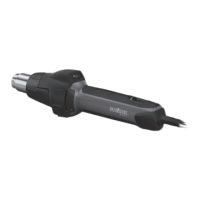
Tool description - Operation
Please note: The distance from the object you are working on depends on material and intended method
of working. Always try out the airflow and temperature on a test piece first. Using the attachable accessory
nozzles (see accessories page on the cover) the flow of hot air can be controlled with maximum precision.
Take care when changing hot nozzles! When using the hot air tool in the self-resting position, make sure it
is standing on a stable, non-slip and clean surface.
1. Operation
The tool is switched on and off at the ON/OFF button
8
on the back of the grip handle. The joystick
9
is
used for controlling temperature and airflow or fan speed.
2. Setting the temperature
Temperature can be infinitely varied over a range of 120-1300°F at the joystick on the control panel with
LCD display. The actual temperature is measured at the hot air outlet nozzle and indicated on the display.
The joystick
9
is used as an input button with plus/minus function.
Briefly pressing the "+/–" joystick increases or reduces the temperature setting in 10° steps. Keeping the
joystick pressed speeds up the temperature setting process. Once the temperature has been set, the tool
takes a few seconds to reach temperature (depending on speed/airflow). The temperature setting selected
is shown on the display for 3seconds. The display then shows the current actual temperature. The "°C/°F"
symbol continues to flash until the selected temperature is reached.
If you want to alter the setting, simply press the joystick again to increase or reduce the temperature. After
switching off, the hot air tool stays in the last setting.
3. Setting airflow rate
To change the airflow rate, first press the button for airflow mode
10
; the fan symbol flashes. Now use the
joystick to set the airflow rate. The airflow rate setting mode automatically closes if the airflow rate setting is
not changed within 5 seconds. Pressing the airflow button again after setting the airflow rate immediately closes
the airflow rate setting mode. The airflow rate can be varied from a minimum of 2cfm to a maximum of 13cfm.
Temperature measurement on the workpiece
We recommend the STEINEL HGScanPRO temperature scanner (Prod. No.:110033508) for detecting the
temperature at the workpiece.
English
www.calcert.com sales@calcert.com1.888.610.7664
0
5
10
15
20
25
30


 To Next Page
 Loading...