4 / 25
Lancia Ypsilon Multimedia User Manual
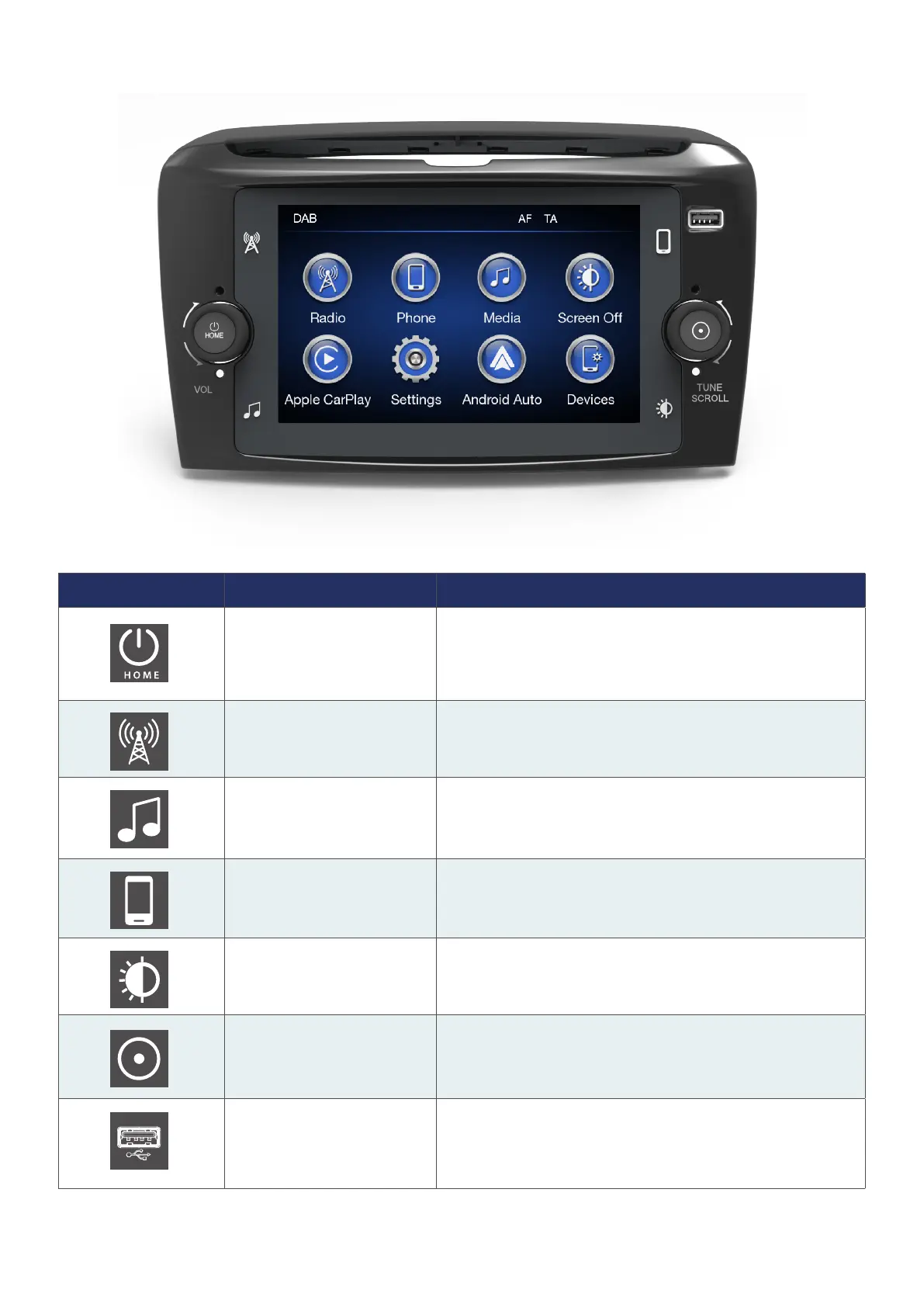
FRONT PANEL CONTROLS
Button Function Description
Switching On/Off, Volume
Adjustment & Back to Main
Menu
Press the button to turn on the device, press and hold for 2
seconds to turn it off. Increase or decrease the volume via
turning the knob clockwise or anti-clockwise respectively.
Press the button to go back to main menu in any selected
menu.
Radio Press the button to enter radio source/select radio band
Media Source
Press the button to enter/select USB/iPod/BT media sources.
If Apple CarPlay or Android Auto Connection is active, An-
droid Auto or Apple CarPlay media menu may be accessed.
Phone
Press the button to open an associated mobile phone menu.
Further details are given in next chapters.
Display On/Off Press the button to turn the display on or off.
Enter/Browse & Tune/Scroll
Press the button to enter the selected menu or approve
a pop-up. Rotate the knob for manual seek for radio and
change the selection up/down in browse.
USB/iPod Port
Connect a device to USB connection port to activate iPod/
CarPlay/Android Auto port.



 To Next Page