8 / 25
Lancia Ypsilon Multimedia User Manual
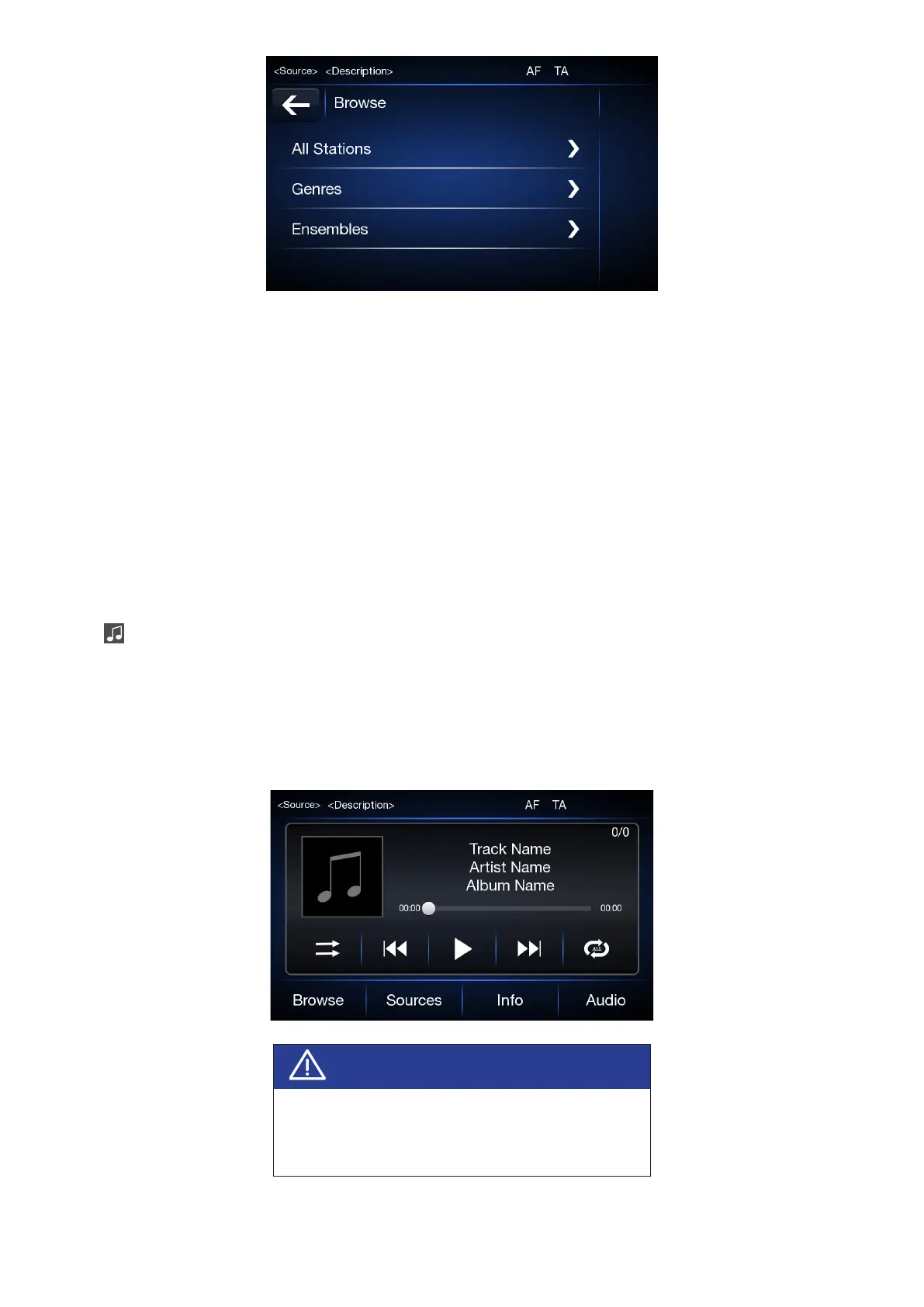
All stations
Press “All stations” to see all the DAB broadcasts (if available).
Genres
Press “Genres” to choose various types of DAB radio programs (if available), such as weather, nance,
children, religion, etc.
Ensembles
Press “Ensembles” to scroll through the DAB ensembles groups (if available)
NOTE: The DAB frequency may be used only in countries where the digital broadcasting technology exists;
wherever it is not available, pressing the DAB button will not result in tuning in to any frequency, since it is
not available.
MEDIA MODE
Press button located on the faceplate to activate media sources. After source selection is completed,
sound/photo les in the source are played automatically.
To play audio/photo les via USB, the corresponding device must be connected to the USB port on the
radio, if needed via a required cable. When a USB/iPod device is plugged in while the system is on, tracks
stored on USB/iPod are available to play. A list of supported USB ash disks is provided at the following
link: http://www.stellantisinfotainment.com/
WARNING
When connecting a device (USB or iPod) to
the USB port, make sure the device does not
obstruct the handbrake lever.



 To Next Page