Section 4
OPERATION BASICS
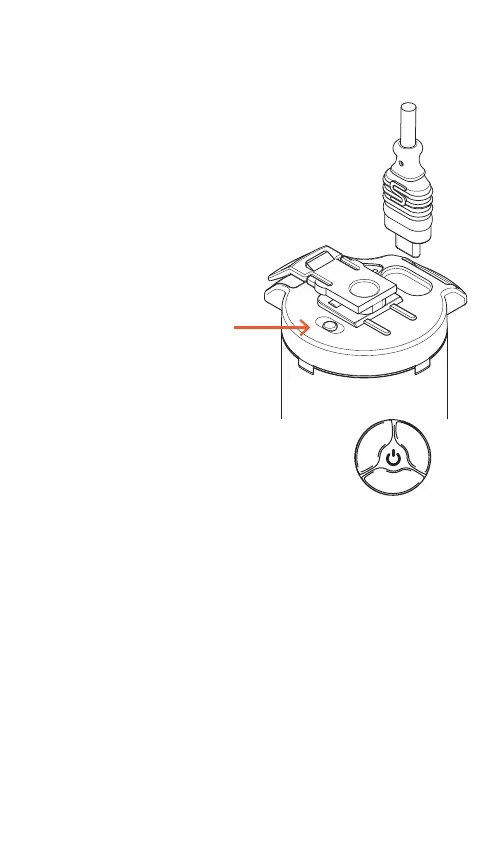
Connect short USB-C to the light and
battery. Press the white power button on
the battery. Battery Indicator will turn red.
Check connection and charge if indicator
light does not turn red. The OLED display
will turn on if connections are ok.
•
•
•
•
•
A Short press (1 sec) switches between
Continuous and Digital Burst* (Or advance
through menu)
A Medium press (2 sec) enters and exits the the
Reflex menu
Long press (4 sec) to enter power o (Unplug
when putting in storage or traveling)
Rotate Clockwise to increase output (Or change
menu setting)
Rotate Counter-clockwise to decrease output
(Or change menu setting)
USING THE CONTROL DIAL
*Transmitter is required for burst operation
Power Button



 To Next Page